PairDrop
Free, browser-based file sharing between any devices — no app, signup, or account required.
🔗 Visit PairDrop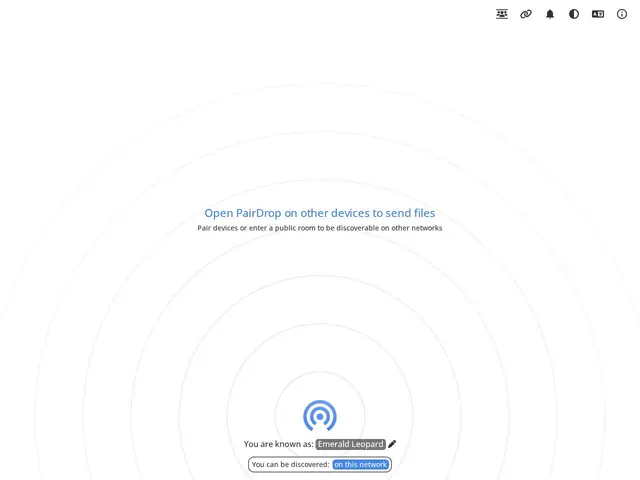
Description
Sending a file from your phone to your laptop shouldn't require an account, an app store visit, or emailing it to yourself, yet that's still how a lot of people do it. PairDrop is a free, open-source tool that skips all of that: open the site on two devices, and they can see and send files to each other directly.
PairDrop is a browser-based, cross-platform file-sharing tool inspired by Apple's AirDrop but working on any device with a browser — Windows, Mac, Linux, Android, iOS. It uses a room-based pairing system so nearby devices can discover each other and transfer files with no installation, signup, or registration, and the interface supports 30+ languages. As an open-source project, it can also be self-hosted for organizations that want the same frictionless transfer experience on their own infrastructure.
💬 Our review
The short version: PairDrop is one of the simplest ways to move a file between two devices when they're not on the same ecosystem (say, an Android phone and a Windows PC) — AirDrop-like convenience without needing Apple hardware on both ends.
Against Apple's AirDrop, PairDrop's whole point is cross-platform reach: it works between any combination of Windows, Mac, Linux, Android, and iOS devices through nothing but a browser, where AirDrop is locked to Apple's ecosystem. Compared to cloud-based sharing (email attachments, Google Drive links), PairDrop transfers directly between devices without uploading to a third-party server, which is both faster for large files and better for privacy. It's free with no catch, and being open-source means it can be self-hosted too. For quick, ad-hoc file transfers between mixed-OS devices on the same network, PairDrop is hard to beat; for sharing with someone remote who isn't nearby, a cloud link is still the simpler choice.
💰 Pricing
📊 Global score
🤖 AI-enriched data
Gratuit, sans compte ni installation
Pros
Fonctionne entre tout OS via le navigateur
Aucune installation ni compte requis
Transfert direct, sans upload cloud
Open-source et auto-hébergeable
Cons
Fonctionne mieux sur le même réseau local
Pas adapté au partage à distance
Pas de stockage persistant