DockSentry
Automated Docker/Podman updates with healthcheck-gated rollback and multi-channel control (web UI, Telegram, Discord).
🔗 Visit DockSentry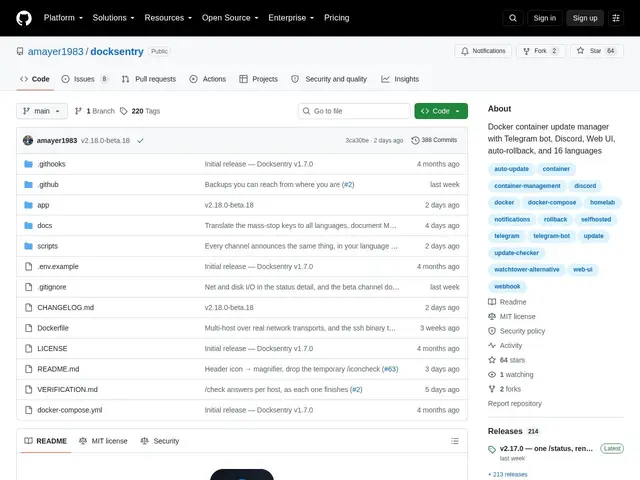
Description
Imagine a cupboard full of small kitchen gadgets that each get a tiny safety update from their maker every few weeks, but you have no way to know which one needs it or whether the new version will actually work once installed. DockSentry acts like a caretaker for that cupboard: it checks on everything by itself, swaps in the newer version when one is ready, and if that new version turns out to be broken, it quietly puts the old one back before anyone notices a problem. It exists to keep software running quietly on a home server or personal cloud setup up to date, without leaving the owner in the dark or exposed to a broken update.
Under the hood, DockSentry is a self-hosted update manager for Docker and Podman containers. It polls configured image registries on a schedule, detects new image digests, and applies updates automatically or after manual approval, based on a per-container policy that distinguishes major, minor, and patch-level changes. If an updated container fails its healthcheck, DockSentry automatically rolls it back to the last known-good image, addressing the biggest risk of unattended updaters. Control happens through a web UI, a Telegram bot, a Discord bot, or webhooks, and a single instance can manage containers across multiple remote hosts over SSH or TCP, which makes it useful for anyone running more than one Docker or Podman host.
💬 Our review
The short version: DockSentry gives you Watchtower-style automatic updates but adds a safety net (rollback on failed healthchecks) and a real control panel (web UI plus Telegram, Discord, and webhooks) that most self-hosted update tools skip — the trade-off is it's a newer, smaller project without Watchtower's years of battle-testing.
Compared to Watchtower, which pulls new images and restarts containers with almost no configuration and no rollback, DockSentry adds healthcheck-gated rollback and per-container policies for major/minor/patch updates, so a bad release doesn't take your stack down unattended. Diun only notifies you that an update exists and leaves the actual update to you or another tool, while What's Up Docker (WUD) sits closer to DockSentry with notifications and some automation but lacks the same breadth of control channels and multi-host SSH/TCP management in one package. If you run a homelab with more than a couple of Docker or Podman hosts and want updates you can trust without babysitting every pull, DockSentry's combination of automation, rollback, and multi-channel control is the strongest reason to pick it over the more established but blunter Watchtower — just know you're trading maturity for features.
💰 Pricing
📊 Global score
🤖 AI-enriched data
Auto-hébergé, aucun coût de licence
Pros
Rollback automatique sur échec de healthcheck
Politiques de mise à jour par conteneur (major/minor/patch)
Contrôle multi-canal (web UI, Telegram, Discord, webhooks)
Gestion multi-hôtes via SSH/TCP
Cons
Projet plus jeune et moins éprouvé que Watchtower
Nécessite un auto-hébergement complet
Écosystème et documentation moins matures