Flows
An ambient iPhone time tracker that shows where your day actually went, with one-tap mode switching and drift detection for the gaps most trackers miss.
🔗 Visit Flows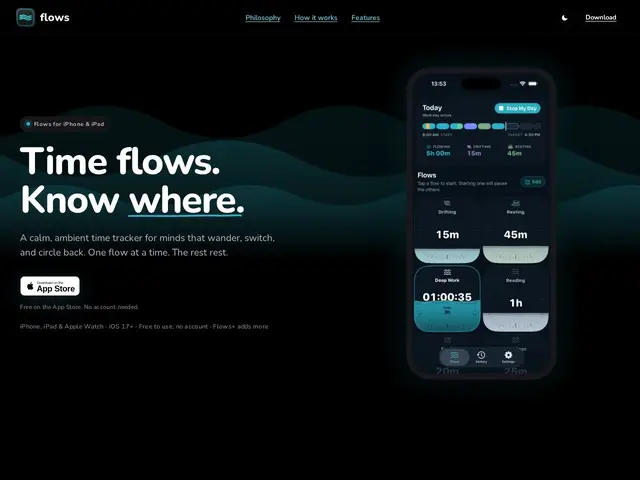
Description
Most people who try to track their time quit within a week, not because tracking is a bad idea, but because every tool for it feels like filling out a timesheet: pick a client, tag a project, hit start, don't forget to hit stop. Flows tries a different angle — it lives in your iPhone's Dynamic Island and Lock Screen, so switching between "deep work," "meetings," or "break" is one tap away, and it actively notices when you've gone quiet and flags that gap instead of silently losing the time.
Flows is a personal time-tracking app built for individuals, not billing departments — there's no client/invoice layer, no team dashboards, just a single running "flow" you switch between throughout the day. Its distinguishing feature is drift detection: rather than assuming every minute is accounted for, it surfaces untracked gaps and asks what happened, which is the exact failure mode most time trackers ignore. Day and history views turn the raw log into a readable summary, and an AI-assisted day-setup tool helps configure flows without manual setup. Time entries can be grouped by project and adjusted after the fact. It's freemium: the free tier includes unlimited flows and a 7-day history, while Flows+ (subscription or lifetime purchase, regionally priced) unlocks full history retention and CSV export.
💬 Our review
The short version: Flows is a solid pick if you want to understand your own time without the billing-software overhead of Toggl or Harvest, but its 7-day free history and lack of team features mean it's a personal tool, not something you'd roll out to a company.
Against Toggl Track or Harvest, Flows' whole design skips the client/project/invoice layer those tools are built around — there's no rate sheet, no timesheet export for a client, just a single running mode you switch with one tap. That makes it faster to use day-to-day but useless the moment you need to bill someone for tracked hours. Its closer comparison is RescueTime or Timing, which track automatically without manual switching; Flows trades that automation for a lighter, more deliberate approach where you actively choose your mode, plus drift detection to catch what you forgot to log. At free-to-cheap pricing for a single-purpose iPhone app, it's an easy trial, but the 7-day history cap on the free tier is tight enough that you'll want to commit to Flows+ quickly if it clicks for you.
💰 Pricing
📊 Global score
🤖 AI-enriched data
Gratuit avec flows illimites et historique 7 jours ; Flows+ (abonnement ou achat a vie, prix regional) debloque l'historique complet et l'export CSV.
Pros
Changement de mode en un tap depuis la Dynamic Island / Lock Screen
Detection des trous non trackes, ignoree par la plupart des trackers
Zero friction facturation : pense pour un usage personnel, pas un timesheet
Configuration de journee assistee par IA
Cons
Historique gratuit limite a 7 jours seulement
Aucune fonctionnalite d'equipe ou de facturation client
iPhone uniquement, pas de version desktop ou Android mentionnee