oMLX
A free, open-source app that turns a Mac into a fast local server for running AI models — text, vision, OCR, and more — controlled from a menubar icon instead of a terminal.
🔗 Visit oMLX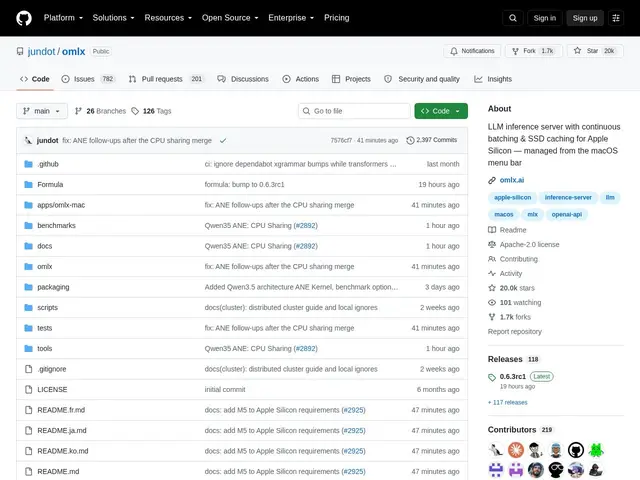
Description
Running AI models on your own computer instead of sending data to a cloud API usually means wrestling with the command line and picking the right inference engine. oMLX packages that into a native Mac app: install it, pick a model from a menubar icon, and it starts serving that model locally — no terminal required, though one is still available if you want it.
Built specifically for Apple Silicon, it uses continuous batching and a tiered (RAM + SSD) KV cache to serve multiple models efficiently, and supports text, vision-language, OCR, embedding, and reranker models via mlx-lm — including recent families like GLM-5.2, MiniMax M3, and Qwen3.5. It exposes OpenAI- and Anthropic-compatible APIs (so existing tools and scripts work against it unmodified), plus tool calling, structured output, a real-time admin dashboard, and a built-in chat interface. Requires macOS 15+ (Sequoia) and an M1–M5 chip; free and open-source under Apache 2.0.
💬 Our review
The short version: if you own a recent Mac and want to run local AI models without living in a terminal, oMLX is one of the more polished free options available, and its API compatibility means you're not locked into a proprietary client.
Compared to Ollama or LM Studio, the two most popular local-inference apps on Mac, oMLX's edge is its tiered KV caching and continuous batching, aimed at squeezing more throughput out of Apple Silicon specifically rather than being a general cross-platform tool — Ollama and LM Studio both run on Windows and Linux too, which oMLX doesn't. Getting the fastest, model-specific optimized kernels also requires a full Xcode install, not just command-line tools, which is a rougher setup step than either competitor. For Mac-only users chasing maximum local inference performance, oMLX's specialization pays off; users who need cross-platform support should look at Ollama instead.
💰 Pricing
📊 Global score
🤖 AI-enriched data
100% gratuit, licence Apache 2.0. Nécessite macOS 15+ (Sequoia) et une puce Apple Silicon (M1 à M5).
Pros
Cache KV à deux niveaux (RAM + SSD) et batching continu pour de meilleures performances
Application menubar native macOS, pas besoin du terminal au quotidien
Supporte texte, vision, OCR, embeddings et reranking via mlx-lm
APIs compatibles OpenAI et Anthropic — outils existants utilisables sans modification
Gratuit et open-source (Apache 2.0), 20 400+ étoiles GitHub
Cons
Réservé à macOS 15+ et aux puces Apple Silicon uniquement
Les noyaux optimisés pour les derniers modèles nécessitent Xcode complet, pas seulement les outils en ligne de commande
Pas de version Windows ou Linux, contrairement à Ollama ou LM Studio
Nécessite Python 3.11-3.13