LeakCheck
Windows software that securely checks passwords and email addresses against known data breaches using k-anonymity encryption, without transmitting sensitive data.
🔗 Visit LeakCheck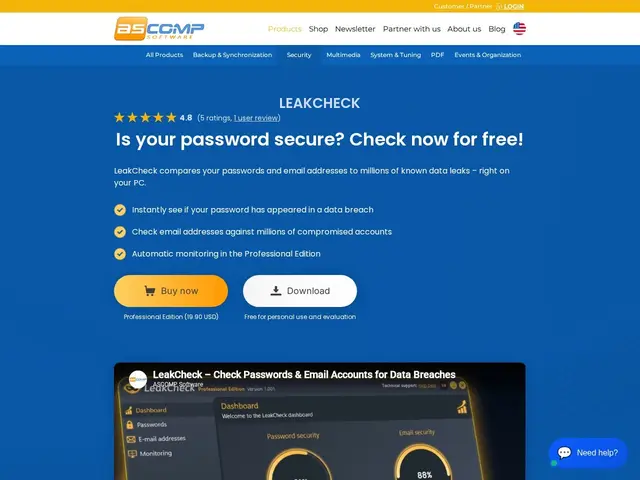
Description
When a company you have an account with gets hacked, your password and email often end up dumped in a criminal database somewhere online — and you usually never find out unless you go looking. LeakCheck is a small Windows program from ASCOMP Software that checks your saved passwords and email addresses against a public breach database (the same one used by the well-known Have I Been Pwned) and tells you which of your accounts have already been exposed, so you know which passwords to change first.
Technically, ASCOMP's angle is doing this check without ever sending your actual password over the network: it uses k-anonymity, the same privacy technique Have I Been Pwned's own API popularized, where only a partial hash prefix leaves your machine and the match happens locally. It's a native Windows desktop app (7 through 11, plus Server 2012-2025) that pulls in saved browser passwords, encrypts everything locally with Windows DPAPI, and gives you a dashboard overview plus (Professional edition) automatic ongoing monitoring with real-time breach alerts.
💬 Our review
The short version: LeakCheck does one narrow thing — breach-checking your passwords locally and privately — competently and cheaply, but you're paying for convenience and a Windows-native UI around a check you can already run for free on the web.
Have I Been Pwned itself is free and already covers email-address breach checks in a browser, and free password managers like Bitwarden or 1Password's Watchtower bundle the same breach-monitoring into a tool you're probably already using to store your passwords. LeakCheck's real pitch is the local Windows app experience — no browser tab, DPAPI-encrypted local storage, a persistent dashboard, and (Professional, $19.90) automatic background monitoring with real-time alerts instead of manual re-checks. That's a fair trade for someone who wants a dedicated always-on Windows utility, but if you already use a password manager with breach alerts built in, LeakCheck adds a second tool doing largely the same job.
💰 Pricing
📊 Global score
🤖 AI-enriched data
Standard : gratuit. Professional : licence privée 19,90 $, licence entreprise 39,90 $, licence mise à jour 12,90 $ — 24 mois de mises à jour/support inclus.
Pros
Vérification locale par k-anonymity, aucun mot de passe transmis
Édition Standard gratuite et permanente
Surveillance automatique et alertes temps réel (Pro)
Stockage local chiffré via Windows DPAPI
Cons
Windows uniquement, pas de macOS/Linux
Limité aux fuites déjà répertoriées dans Have I Been Pwned
Fonction déjà couverte gratuitement par la plupart des gestionnaires de mots de passe modernes