CtrlTool
A free collection of 130+ browser-based utility tools for developers and everyday tasks, from JSON formatting to QR code generation.
🔗 Visit CtrlTool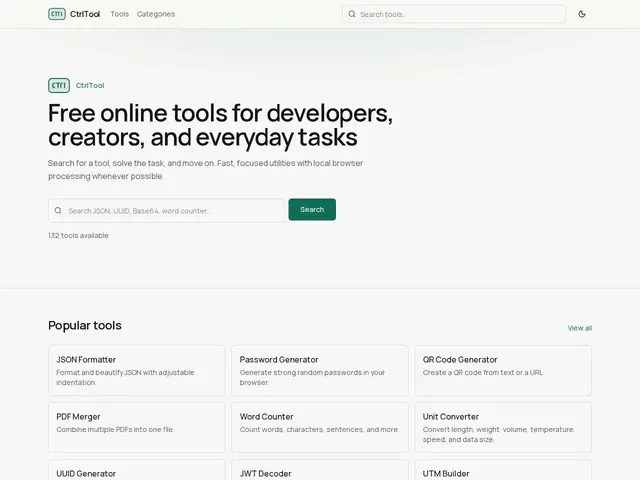
Description
CtrlTool is a website packed with more than 130 small, free tools that solve everyday digital chores in a single click, no downloads or sign-ups required. Need to generate a QR code, pick a color for a design, set a quick countdown timer, or clean up a messy block of text? CtrlTool bundles all of that (and much more) into one simple page, so instead of hunting for a different app or website for every small task, you can find it all in one place.
Under the hood, CtrlTool organizes its 132+ utilities into nine categories: JSON/JWT tools, text utilities, PDF manipulation, password generators, color pickers, timers, DNS/IP lookup, UTM builders, and QR code generators. Most of the processing happens locally in the browser rather than on a remote server, which means files and text typed into the tools generally aren't uploaded anywhere, a meaningful privacy plus for anyone pasting sensitive data (API keys, JWTs, internal text) into a formatter or validator. There's no account creation, no login wall, and no gated features standing between the user and the tool they need.
💬 Our review
The short version: CtrlTool is a genuinely free, no-nonsense toolbox that packs a surprising number of useful utilities into one page, and the fact that most tools run locally in the browser makes it a reasonable pick for quick, sensitive-ish tasks like formatting a JWT or validating JSON.
The online-tools-aggregator space is crowded, and most competitors monetize through aggressive advertising, autoplay pop-ups, and "convert now" upsells that make simple tasks feel like a minefield. CtrlTool's biggest differentiator is precisely what it doesn't do: no ads observed, no premium tier dangled behind a paywall, no forced account. For a category where the median experience involves dodging three banner ads to find a download button, that alone is a strong value proposition. It won't replace a dedicated, feature-rich SaaS tool for teams with heavy, recurring workflows (a full-fledged PDF editor or a password manager with sync, for instance), but for one-off or occasional utility needs, being free and clean of ads is exactly the kind of value that's hard to argue with. Price-to-value here is essentially unbeatable since there's no price at all, and the trade-off (a lighter feature set than specialized paid tools) is a fair one for most casual use cases.
💰 Pricing
📊 Global score
🤖 AI-enriched data
100% gratuit, aucun palier payant, aucune publicité constatée
Pros
Plus de 130 outils regroupés en un seul site
Entièrement gratuit, sans palier payant ni publicité
Traitement local dans le navigateur pour les données sensibles
Aucun compte ni connexion requis
Cons
Moins de profondeur fonctionnelle que des outils SaaS dédiés
Pas de synchronisation ni de sauvegarde entre appareils
Positionnement générique qui peut manquer de spécialisation pour des besoins pro avancés