Waku
Waku is a free native desktop app that pulls together sessions, transcripts, and activity from all the AI coding agents you use into one unified, local timeline.
🔗 Visit Waku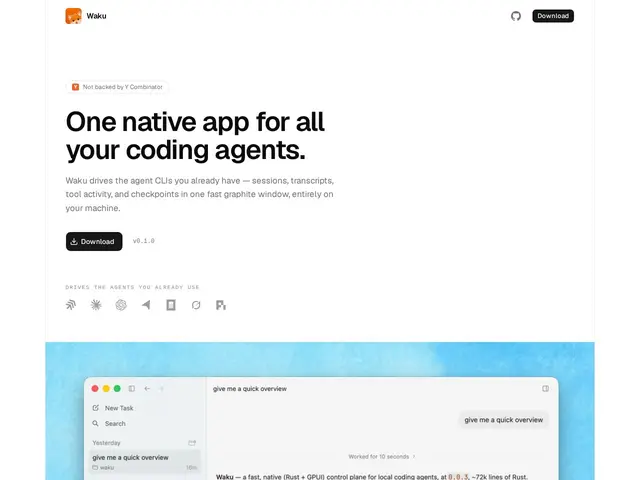
Description
If you use more than one AI coding agent — say, one in your terminal and another inside your editor — keeping track of what each one did, when, and why quickly turns into a mess of scattered windows and lost context. Waku is built to fix that specifically: it's a single native app that shows a unified timeline across all your coding agents, so you can see sessions, transcripts, and tool activity in one place instead of hunting through separate terminals or logs.
It's built natively with Rust and GPUI for performance, and it's local-first by design — no cloud sync, no telemetry, no account required, everything runs and stays on your machine. A standout feature is Git-based checkpoint and rewind functionality, letting you roll back to an earlier point in an agent's work the same way you'd revert a commit. Navigation is keyboard-first, and it supports Stream-JSON and JSON-RPC for integrating with agent tooling, with auto-updates handled via Sparkle. It's currently free with no paid tiers.
💬 Our review
The short version: for developers juggling multiple AI coding agents day to day, Waku's unified timeline and Git-based checkpoint/rewind are exactly the kind of quality-of-life features that don't exist yet in most agent tooling, and being local-first with zero telemetry is a real plus if you're wary of another tool phoning home with your session data.
The tradeoff is that it's a young, single-purpose utility rather than a full IDE or agent platform — it's a session manager layered on top of agents you're already running elsewhere, not a replacement for them. Its value scales directly with how many different coding agents you actually use in parallel; if you use just one agent inside one editor, a lot of the unification value disappears and you may not need a separate app for it. It's currently free, which makes it low-risk to try regardless.
💰 Pricing
📊 Global score
🤖 AI-enriched data
Gratuit, aucun palier payant mentionné
Pros
Timeline unifiée à travers plusieurs agents de codage IA
Checkpoint et rewind basés sur Git
100% local, zéro cloud, zéro télémétrie
Navigation clavier-first, performant (Rust + GPUI)
Cons
Utile surtout si vous utilisez plusieurs agents IA en parallèle
Outil jeune et ciblé, pas une plateforme complète
Ne remplace aucun agent IA, s'ajoute en complément