Humla
Humla is an open-source, privacy-first AI meeting assistant for macOS that records and transcribes conversations locally, without a bot joining your calls or your audio leaving your device.
🔗 Visit Humla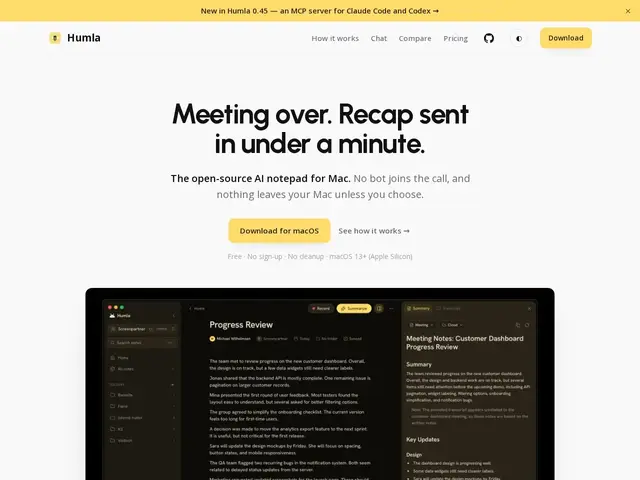
Description
Humla is a tool that listens to your meetings on your own Mac and turns them into clear summaries and notes, without needing a robot to dial into your call or send your conversation to someone else's server. Instead of inviting a bot participant the way many meeting assistants do, Humla quietly records audio straight from your computer and processes it locally, so sensitive conversations about clients, contracts, or internal strategy never have to leave your machine unless you choose to share them. It's built for professionals and teams who want the convenience of automated meeting notes without handing their data over to a third-party cloud service by default.
Under the hood, Humla uses on-device Whisper for speech-to-text transcription and speaker identification, so no audio needs to reach an external API for basic use. Teams that want shared workspaces can either pay for Humla Cloud or self-host their own PocketBase server to sync notes across users while keeping full control of the infrastructure. The app also supports offline AI chat over your meeting history via Ollama, or optional cloud providers (OpenAI, Deepgram, Groq) through your own API keys, and the entire project is released under the MIT license, making the source code auditable by anyone.
💬 Our review
The short version: if you want meeting notes without a bot in your calls or your conversations going to a stranger's server, Humla is one of the few tools built exactly for that, and its free local mode covers most of what people actually need.
Compared to Granola (~$18/month), which also avoids a bot-joining participant but keeps its app closed-source and cloud-dependent for processing, Humla's fully local, MIT-licensed alternative gives privacy-sensitive users a meaningful edge: your audio and transcripts can stay on your Mac end to end, and self-hosting via PocketBase removes the need to trust any vendor's servers at all. Against Otter.ai (~$17/month), which is cloud-based and in some workflows still uses a bot to join calls, Humla's local-first design is again the clear differentiator. The catch is platform support: Humla currently ships only as a macOS app, so Windows and Linux users are locked out entirely, which narrows its addressable audience considerably compared to the cross-platform competition.
💰 Pricing
📊 Global score
🤖 AI-enriched data
Version locale gratuite et illimitée sur un Mac ; Cloud à 5$/utilisateur/mois avec essai gratuit de 14 jours ; auto-hébergement gratuit via serveur PocketBase personnel
Pros
Traitement local, aucune donnée envoyée par défaut vers un serveur tiers
Open source (licence MIT), code auditable
Aucun bot ne rejoint les appels
Auto-hébergement possible via PocketBase pour un usage en équipe
Reconnaissance vocale sur ~100 langues avec détection automatique
Cons
Disponible uniquement sur macOS, pas de version Windows ou Linux
Fonctionnalités d'équipe (sync, espaces partagés) payantes ou nécessitent un auto-hébergement technique
Écosystème et communauté plus restreints que les leaders du marché comme Otter ou Fireflies