MakeMB
Shrink a PDF that's too big to email, or split it into smaller pieces, without uploading it anywhere — everything happens in your browser tab, which matters if the document is a contract or an ID.
🔗 Visit MakeMB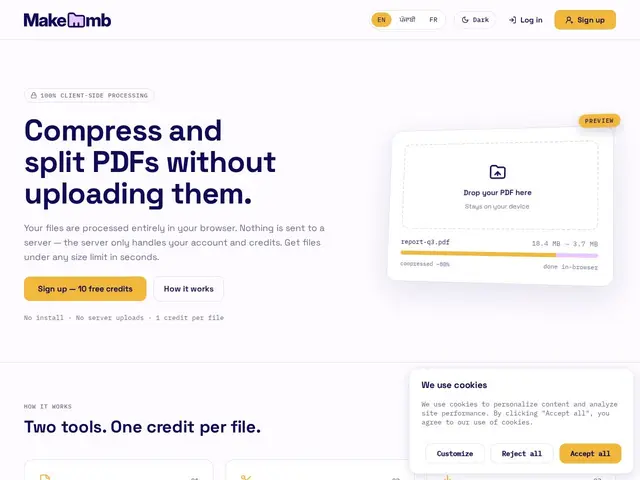
Description
Most free PDF compressors work by uploading your file to a server, shrinking it there, and sending it back — which is fine for a random flyer, but not something you want to do with a signed contract, a passport scan for an immigration form, or anything else genuinely private. MakeMB does the same job — compress a bloated PDF, or split one into smaller files by page count or size limit — but the processing happens entirely in your browser, so the file never leaves your device.
It works on a credit system rather than a subscription: you get a handful of free credits on signup, and buy more as pay-as-you-go packs that don't expire, so it's aimed at occasional use rather than a monthly bill for something you might do twice a year. There's also a Chrome extension for quicker access, and the tool keeps a history of past compressions so you can find a file you processed earlier.
💬 Our review
The short version: if you need to shrink a PDF for an email attachment or a form submission and you'd rather not upload something sensitive to a random server, MakeMB's client-side processing is the actual reason to pick it over Smallpdf or ILovePDF.
Both of those bigger names process files server-side, which is fine for a public flyer but not ideal for a signed contract or an ID scan — MakeMB avoids that entirely by doing the compression in your browser. The tradeoff is maturity: Smallpdf and ILovePDF offer a much broader PDF toolkit (merging, editing, signing) built up over years, while MakeMB is narrowly focused on compress-and-split. The non-expiring credit system is also a genuinely fairer deal than a forced monthly subscription for something you might only need a few times a year. Good pick for privacy-conscious occasional compression; not a full PDF editor replacement.
💰 Pricing
📊 Global score
🤖 AI-enriched data
10 crédits offerts à l'inscription, puis à la demande : $15 CAD pour 90 crédits, crédits sans expiration
Pros
Traitement 100% côté navigateur, aucun upload serveur
Crédits sans expiration, pas d'abonnement forcé
Extension Chrome pour un accès rapide
Historique des compressions passées
Cons
Moins connu et moins établi que Smallpdf/ILovePDF
Système de crédits moins simple qu'un abonnement illimité
Fonctionnalités PDF plus limitées (pas d'édition, de fusion avancée etc.)
Traitement côté navigateur peut être plus lent sur gros fichiers/matériel modeste