Rackast
A Windows screen recorder that automatically adds professional zoom effects, smooth cursor motion and AI-generated captions to your recording, so a raw screen capture looks like an edited tutorial without you touching a video editor.
🔗 Visit Rackast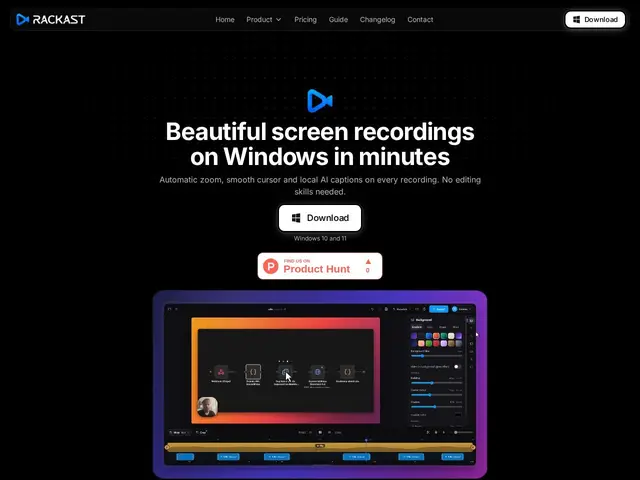
Description
Recording a tutorial or product demo usually means either a flat, unedited screen capture or hours in a video editor adding zoom-ins and captions by hand. Rackast tries to close that gap automatically: it records your Windows screen and applies AI-powered zoom that follows clicks and important areas, smooth cursor motion with click ripple effects, and local AI-generated captions (via Whisper) — all without manual editing afterward.
Other features include a floating webcam bubble overlay, multi-format export (MP4, WebM, GIF), support for 4K recording at up to 120fps, and fully offline/local rendering for privacy. It's built with Tauri and runs on Windows 10/11 only — there's no Mac version. Pricing is a flat subscription: $19.99/month or $95.88/year, with a 7-day money-back guarantee but no free trial; billing is handled by Polar as merchant of record, and licenses cover 2 device activations.
💬 Our review
The short version: Rackast's automatic zoom-and-caption pipeline genuinely saves the manual editing work that makes most screen recordings look amateurish, and local/offline processing is a real privacy plus — but it's Windows-only, has no free trial, and competes against much more established recorders.
Against Camtasia or ScreenPal, Rackast is cheaper on a monthly basis and automates more of the polish (auto-zoom, auto-captions) that those tools require you to add manually — but Camtasia in particular has a vastly more mature editing suite for anyone who wants finer control than "automatic." Against OBS Studio (free, open-source), Rackast trades zero cost for genuine convenience: OBS can do everything manually if you're willing to learn it, Rackast does the polish for you for $19.99/month. Worth it for Windows users making frequent tutorials or demos who value speed over editing control; skip it if you're on Mac, need heavy manual editing, or are fine with OBS's learning curve to save the subscription cost.
💰 Pricing
📊 Global score
🤖 AI-enriched data
19,99 $/mois ou 95,88 $/an. Pas d'essai gratuit, garantie remboursement 7 jours. 2 activations d'appareil par licence.
Pros
Zoom automatique suivant clics et zones importantes
Sous-titres IA locaux (Whisper), rendu 100% hors-ligne
Export multi-format 4K jusqu'à 120fps, sans watermark
Moins cher que Camtasia sur base mensuelle
Cons
Windows uniquement, aucune version Mac
Pas d'essai gratuit avant paiement
Suite d'édition bien moins complète que Camtasia
Automatisation = moins de contrôle fin que l'édition manuelle