EazyStudio
A free browser-based toolbox (80+ tools) for compressing images, converting files, and editing PDFs, audio or video — everything runs locally so files never leave your device.
🔗 Visit EazyStudio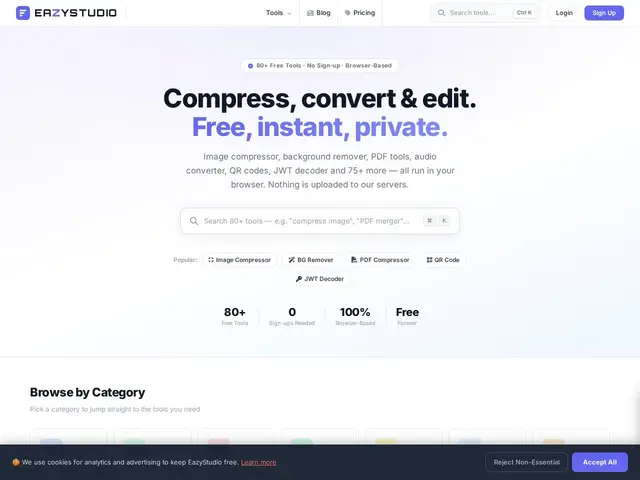
Description
Most online file-conversion sites upload your file to a server somewhere, which is fine for a random meme but not great for anything sensitive. EazyStudio does the compression, conversion or editing right in your browser using your own device's processing power, so the file never actually leaves your computer — like having 80 small desktop utilities without installing any of them.
EazyStudio is a browser-based collection of 80+ tools covering image compression, PDF manipulation, file conversion, and basic audio/video editing, plus some developer utilities. All processing happens client-side in the browser rather than on a server, which the site positions as a privacy feature. It's usable as a guest with daily limits, or with a free account for higher limits, with a Pro subscription removing caps entirely.
💬 Our review
The short version: EazyStudio is a solid go-to when you need a quick one-off compress/convert/edit and don't want to install software — the guest tier works with zero signup, and Pro at roughly $5/month (billed annually) is cheap if you use these tools often enough to hit the daily caps.
Compared to single-purpose tools like TinyPNG (image compression only) or Zamzar (conversion only), EazyStudio's advantage is breadth — one site for 80+ different small tasks instead of bookmarking a dozen different sites. The tradeoff of that breadth is depth: for any single task, a specialized tool built exclusively for that job (image compression, say) may squeeze out better results than a generalist covering 80 things. The client-side privacy claim is a genuine plus for sensitive files, though it's only as trustworthy as EazyStudio's own code. Best fit: people who occasionally need many different small file tasks and don't want a different tool for each. Weaker fit: heavy daily users of one specific function (e.g. bulk image compression for an e-commerce catalog) — a dedicated tool will likely serve that better.
💰 Pricing
📊 Global score
🤖 AI-enriched data
Invité : gratuit avec limites quotidiennes (ex. 10 compressions d'image/jour). Compte gratuit : limites doublées. Pro : ~5$/mois facturé annuellement (2 mois offerts), accès illimité.
Pros
80+ outils dans un seul site
Traitement côté client, fichiers non envoyés sur serveur
Utilisable sans compte pour un usage ponctuel
Prix Pro très bas
Cons
Limites quotidiennes strictes en gratuit
Moins poussé qu'un outil spécialisé pour une tâche précise
Pas d'usage hors-ligne malgré le traitement local