TabGroup Vault
Chrome extension that saves, restores, and organizes browser tab groups so you never lose a session to a crash or restart.
🔗 Visit TabGroup Vault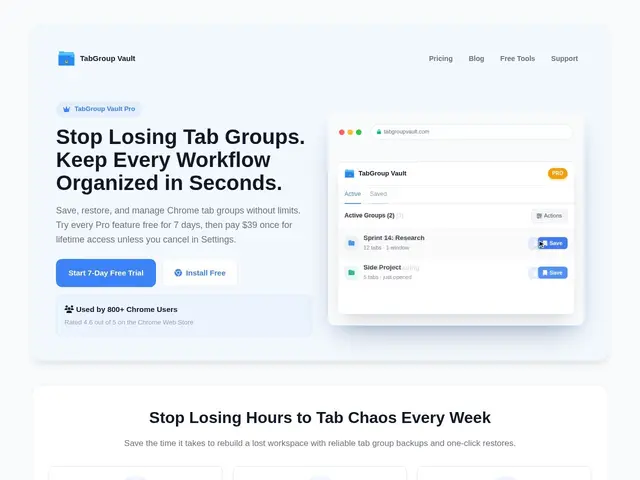
Description
If you've ever had dozens of carefully organized browser tabs vanish because Chrome crashed or you accidentally closed a window, you know how much time that costs to rebuild. TabGroup Vault takes a snapshot of your tab groups — names, colors, tab order — so you can restore them exactly as they were, whenever you need to.
TabGroup Vault is a Chrome extension for saving, restoring, and organizing browser tab groups, aimed at anyone who regularly works across many tabs at once. It supports bulk restore and merging of saved snapshots, smart search across saved groups, Google Drive backup for cross-device access, and multi-profile support for people who separate work and personal browsing. It's rated 4.6/5 on the Chrome Web Store with over 800 active users as of this writing, and is actively maintained (v1.4.12 as of May 2026).
💬 Our review
The short version: TabGroup Vault is a solid, no-subscription option if tab-group loss has actually cost you real time before — the $39 one-time price is steep for casual use but fair for a tool you'll use daily.
Compared to Session Buddy, OneTab, or Tab Manager Plus, most of which either charge a recurring subscription or focus on tab reduction rather than group preservation, TabGroup Vault's one-time lifetime payment is the standout differentiator — no ongoing cost once you've bought Pro. The 4.6/5 rating and 800+ active users suggest it does what it claims reliably, and Google Drive backup plus multi-profile support cover the two most common real-world snags (switching computers, separating work/personal contexts). The free tier's 10-snapshot cap is fine for testing but too small for anyone with more than a couple of ongoing projects, and snapshots are manual — there's no automatic background saving, so forgetting to snapshot before a crash still means losing that session. Best fit: developers, researchers, and remote workers who routinely run 30+ tabs across multiple projects and have been burned by losing them. Weaker fit: casual users who rarely have more than a handful of tabs open — $39 isn't worth it for occasional use.
💰 Pricing
📊 Global score
🤖 AI-enriched data
Gratuit : jusqu'à 10 snapshots. Pro : 39 $ à vie (essai 7 jours, carte requise ; garantie remboursement 30 jours), snapshots illimités, sauvegarde auto à la fermeture de Chrome, backup Google Drive, jusqu'à 5 profils Chrome.
Pros
Paiement unique à vie, pas d'abonnement
Note 4,6/5, 800+ utilisateurs actifs
Backup Google Drive + multi-profils
Restauration/fusion en masse
Cons
Palier gratuit limité à 10 snapshots
Création de snapshot manuelle, pas de déclenchement auto intelligent
39 $ à vie coûteux pour un usage occasionnel