BlurMe
Automatically detects and blurs faces, license plates, and other sensitive objects in photos and videos, so you don't have to mask them frame by frame by hand.
🔗 Visit BlurMe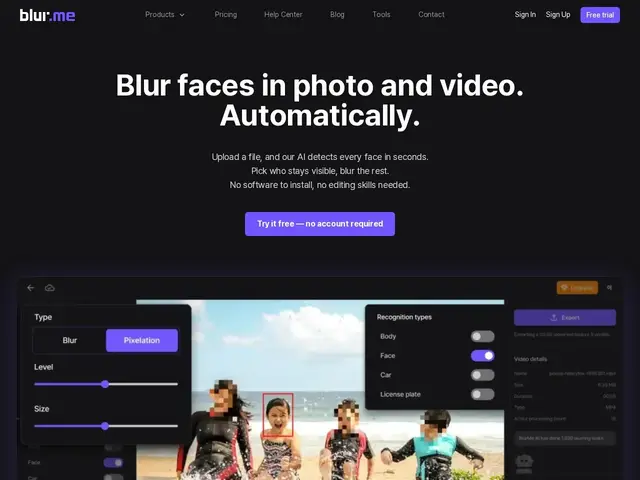
Description
Anyone who's tried to publish a video with a bystander's face or a car's license plate visible knows the tedious workaround: pause every few frames and manually draw a blur box, over and over. BlurMe automates that entire chore — point it at a photo or video, and it finds the faces, plates, and other sensitive details on its own and blurs them, frame by frame, without manual tracking.
BlurMe is an AI-powered redaction tool built for content creators, journalists, and enterprises (including CCTV/surveillance footage review) that need to anonymize visual media before publishing or sharing it. It runs detection models for faces and license plates automatically, supports selective un-blurring for elements you want to keep visible, batch-processes multiple files at once, and exposes an API for teams that want to fold redaction into their own pipeline rather than using the browser UI.
💬 Our review
The short version: if you regularly publish video or photos that include other people's faces or plates, BlurMe's automatic detection saves real time over manually blurring frame by frame in a general editor — worth the $7-26/month for anyone doing this more than occasionally.
Its edge over doing this in a general-purpose editor like CapCut or Adobe Premiere is that those tools require you to manually track and mask each face or plate yourself, frame by frame — BlurMe's whole product is automating that detection step. The free tier is capped at 1GB and watermarked, which is fine for testing but not for real output; the Standard tier ($7/month) removes the watermark and is the realistic starting point for anyone actually publishing. Where it's weaker: it's a single-purpose tool, so if you're already deep in a full video editing workflow in Premiere, switching apps just to blur a few frames adds friction — you may be better off using that editor's own masking tools for occasional one-off jobs. Best fit: content creators, journalists, and privacy/compliance teams processing footage regularly (CCTV review, street photography, documentary footage) who need reliable automatic redaction. Weaker fit: someone doing a single one-off blur inside a video they're already editing elsewhere.
💰 Pricing
📊 Global score
🤖 AI-enriched data
Gratuit (1 Go, filigrane). Standard 7 $/mois, Pro 26 $/mois, Premium 78 $/mois.
Pros
Détection automatique des visages et plaques, pas de masquage manuel image par image
Démasquage sélectif pour garder certains éléments visibles
Traitement par lot de plusieurs fichiers
API disponible pour intégrer le floutage dans un pipeline existant
Cons
Palier gratuit limité (1 Go, filigrane) — pas utilisable pour du contenu final
Outil mono-fonction : ne remplace pas un éditeur vidéo complet
Précision de détection à vérifier sur ses propres rushs avant usage critique (conformité)
Pas d'essai des paliers payants annoncé publiquement