Kanban CLI
A Kanban board that lives entirely in your terminal and your git repo — built so an AI coding agent can pick up, update and hand off tasks without a hosted project-management tool in the loop.
🔗 Visit Kanban CLI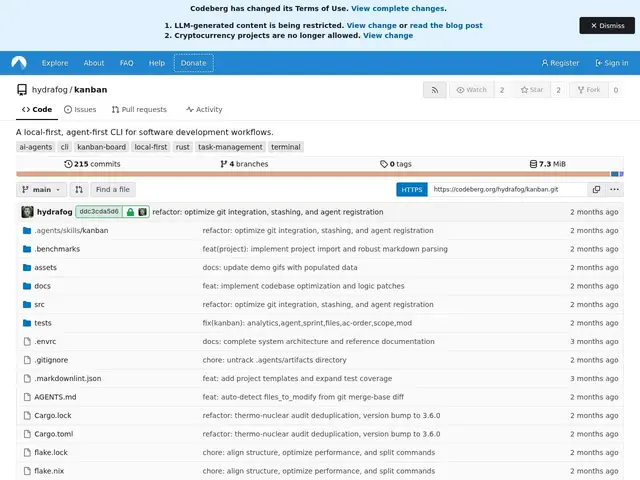
Description
Task boards like Trello or Jira work fine for humans, but they're awkward for an AI coding agent to use — there's no API-free way for an agent to "look at the board" the way a person would, and pulling task state out of a hosted tool into an agent's context adds friction. Kanban CLI solves this by keeping the whole board as plain JSON files inside the git repository itself, so both a human and an AI agent can read and update it with normal file operations.
Kanban CLI is a local-first, agent-first command-line tool written in Rust for managing software development workflows: task tracking, sprint management, and role-based assignments, all stored as git-integrated JSON rather than in a hosted database. Because the board lives in the repo, it's versioned, diffable, and shareable the same way code is — no separate account, sync service, or server to run. It's released under the AGPL v3 license and maintained by a solo developer (hydrafog) on Codeberg, an independent, non-corporate alternative to GitHub.
💬 Our review
The short version: Kanban CLI is a niche but genuinely useful pick if your team is already running AI coding agents against a repo and wants task state the agent can read and write directly, without wiring up an API to Jira or Trello.
It's part of a small but growing cluster of "agent-first" kanban tools (cline/kanban, Taskter, agent-kanban-pm) that all bet on the same idea: keep task state as plain files an agent can manipulate with normal filesystem operations instead of a REST call to a hosted PM tool. Kanban CLI's specific angle is being fully git-native and dependency-free — no server, no separate sync — which is attractive for a small team or solo developer who doesn't want another SaaS subscription just to track a handful of tasks. The trade-off is exactly what you'd expect from a solo-maintained, git-only tool: no built-in collaboration UI beyond what your git host already gives you, and no guarantee of long-term maintenance. Best fit: solo developers or small teams running AI agents locally who want lightweight, versioned task tracking without another account to manage. Weaker fit: larger teams needing a shared web UI, notifications, and integrations — a hosted tool like Linear or Jira will still serve that better.
💰 Pricing
📊 Global score
🤖 AI-enriched data
Entièrement gratuit, sous licence AGPL v3, aucun service hébergé à payer
Pros
Entièrement gratuit et open-source (AGPL v3)
Stockage en JSON versionné dans git — pas de serveur ni de compte séparé requis
Pensé pour être manipulé directement par un agent IA, pas seulement par un humain
Écrit en Rust, léger, sans dépendance à un service hébergé
Cons
Maintenu par un développeur solo — pérennité du projet à surveiller
Aucune interface web ni notifications intégrées, contrairement à un outil hébergé
Peu adapté aux grandes équipes ayant besoin de collaboration temps réel
Écosystème encore jeune (« agent-first kanban ») avec plusieurs concurrents similaires en même temps