Lumshot
A Windows screenshot app with smart annotation, OCR text extraction and one-click AI paste into ChatGPT, Claude or Cursor, plus native Jira ticket creation, free or $29 one-time for the Pro tier.
🔗 Visit Lumshot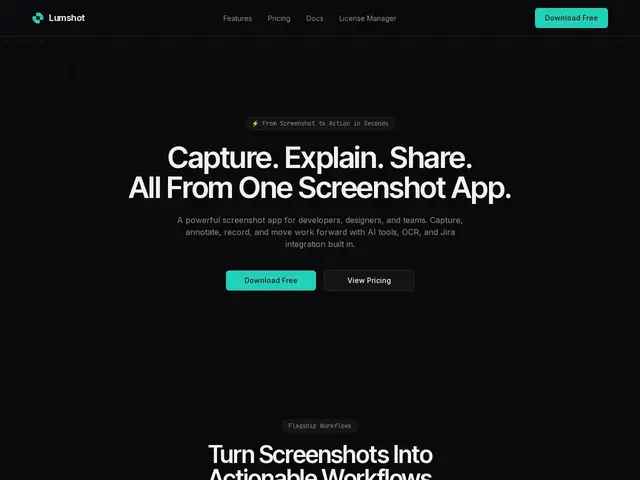
Description
Taking a screenshot is easy. Turning it into a clear bug report, a Jira ticket, or a prompt for an AI assistant usually means switching between four different apps. Lumshot tries to collapse that whole chain into one capture.
Lumshot is a Windows desktop screenshot tool aimed at developers, designers and support teams. Beyond capture and annotation (arrows, shapes, blur, text), it includes OCR text extraction, smart redaction for sensitive data, and an "AI Auto Paste" shortcut that sends the screenshot straight into ChatGPT, Claude or Cursor, plus a native Jira integration to file issues without leaving the app. All image processing happens locally on the device. The free plan covers unlimited screenshots and basic annotation; Pro is a $29 one-time lifetime purchase (not a subscription) that unlocks OCR, scrolling capture, redaction and the Jira/AI integrations.
💬 Our review
The short version: a genuinely useful screenshot tool for dev and support teams thanks to the Jira and AI-assistant shortcuts, and a rare one-time $29 price instead of a subscription — but it's Windows-only today, with macOS and Linux still "in development."
The strongest argument for Lumshot isn't the annotation tools themselves (Snagit, ShareX and Markup Hero all do that well) — it's the workflow shortcuts: OCR, one-click send to an AI assistant, and direct Jira ticket creation cut real friction for teams that file bugs all day. The one-time $29 lifetime license is also a genuine differentiator against subscription-only tools like Snagit ($50/year). The catch is platform coverage: no macOS or Linux build yet means teams with mixed OS fleets can't standardize on it, and "in development" has no committed date. Best fit: Windows-based dev or support teams who want AI/Jira shortcuts baked into their screenshot flow and don't want another subscription; skip it if your team is on Mac or needs cross-platform parity today.
💰 Pricing
📊 Global score
🤖 AI-enriched data
Gratuit : captures illimitées, annotation de base. Pro : 29 $ en paiement unique à vie (OCR, capture défilante, rédaction intelligente, intégrations IA/Jira, mises à jour à vie incluses).
Pros
Paiement unique à vie (29 $) plutôt qu'un abonnement comme Snagit
Raccourcis concrets pour les équipes tech : envoi direct vers ChatGPT/Claude/Cursor, création de ticket Jira
Traitement des images 100% local, rien n'est envoyé sur un serveur
Cons
Windows uniquement pour l'instant, macOS et Linux encore « en développement » sans date
OCR et fonctions avancées réservées à la version payante
Plus jeune et moins connu que ShareX ou Snagit, communauté encore petite