Snapr
A macOS/Windows screen capture, recording and video-editing app with 4K 60fps GPU-encoded recording, annotation tools and cinematic effects, free for core capture or $29.75 one-time for Pro.
🔗 Visit Snapr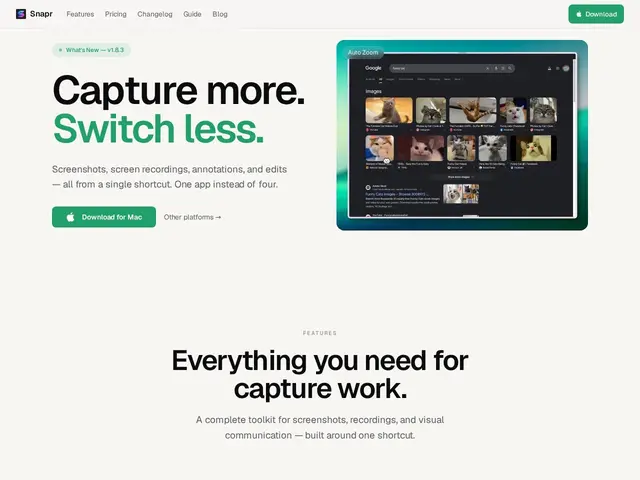
Description
Making a decent tutorial or product demo usually means three separate apps: one to record your screen, one to annotate a screenshot, and one to add polish like zoom effects before sharing. Snapr puts all three in a single app so you're not exporting files between tools just to make a clean walkthrough video.
Snapr is a unified screen capture and recording application for macOS and Windows. It captures screenshots and records screens at up to 4K 60fps using GPU hardware encoding, offers annotation tools (arrows, text, shapes, pixelation, magnifier), and edits video with effects like cinematic auto-zoom, speed ramps, shake, glow and sonar rings. It runs offline-capable with no cloud telemetry, and includes a library of wallpapers and gradients for background compositing.
💬 Our review
The short version: a capable all-in-one capture-record-edit tool priced as a cheap one-time purchase rather than a subscription, which stands out against most modern screen-recording tools that have moved to monthly billing.
At $29.75 for a Pro Lifetime license, Snapr undercuts subscription-based competitors like Loom or CleanShot X on long-term cost, and the offline-first, no-telemetry design is a genuine privacy plus for teams recording anything sensitive. The free tier covers core capture, which is enough to evaluate whether the workflow fits before paying. The tradeoff is ecosystem: Loom's cloud-hosted sharing and viewer analytics, or Snagit's decades of enterprise deployment tooling, aren't things a newer indie app like Snapr has built out yet. Best fit: individuals and small teams wanting a capable local capture-and-edit tool without a subscription; choose Loom instead if you need built-in cloud hosting and viewer analytics for shared recordings.
💰 Pricing
📊 Global score
🤖 AI-enriched data
Free : fonctionnalités de capture de base. Pro Lifetime : 29,75 $ en paiement unique, toutes les fonctionnalités avancées et mises à jour à vie incluses.
Pros
Paiement unique de 29,75 $ au lieu d'un abonnement mensuel comme Loom ou CleanShot X
Fonctionnement hors-ligne sans télémétrie cloud — vrai plus côté confidentialité
Combine capture, annotation et montage vidéo (effets cinématiques) dans une seule app
Cons
Pas d'hébergement cloud intégré ni d'analytics de visionnage comme Loom
Écosystème et historique bien plus restreints que Snagit (produit établi depuis des décennies)
App indie plus jeune, moins de garanties de support à long terme