BoxLab
Design a product box's flat cutting pattern (a 'dieline') and see it rendered as a photorealistic 3D product photo in the same tool — instead of hiring a packaging designer for the technical file and a photographer for the mockup separately.
🔗 Visit BoxLab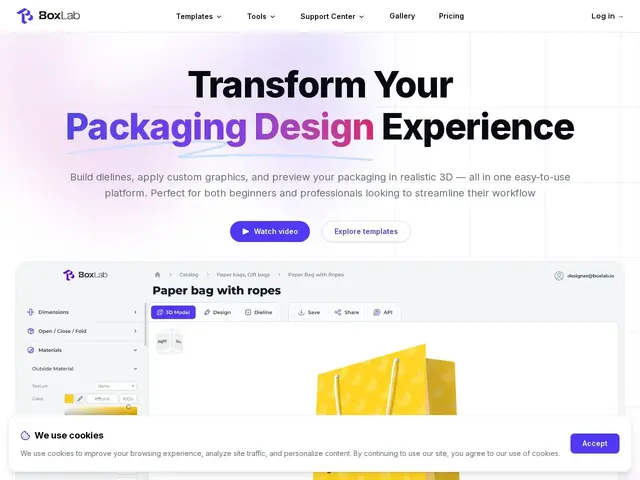
Description
Product packaging design usually splits into two separate jobs done by two different people: technical dieline creation (the precise flat pattern a printer/manufacturer needs) and visual mockup rendering (a realistic photo showing what the finished box looks like on a shelf or in a hand). BoxLab merges both into one browser-based workflow — build a precision dieline in industry-standard formats (PDF, SVG, DXF), apply graphics, foil stamping, or spot UV finishing effects, then preview it instantly in one of 100+ AI-generated 3D scenes with realistic lighting and materials.
It's aimed at designers, small businesses, and e-commerce sellers who need both files without commissioning two separate freelancers or juggling two different software packages (one for dielines, one for renders). The free tier is limited to JPG-only exports with watermarks and no project saving — genuinely a trial, not a usable free plan — while $10/month unlocks all formats, watermark-free renders, and project saving; the $80/year plan adds multi-seat team access.
💬 Our review
The short version: combining dieline engineering and 3D mockup rendering in one tool is the actual value here — most packaging workflows require two separate tools (specialized dieline software plus a rendering tool like Photoshop or a 3D app), and BoxLab's whole pitch is collapsing that into one browser tab.
Against dedicated dieline tools like Pacdora or standalone mockup renderers like Boxshot, BoxLab trades some depth in each individual discipline for the convenience of not switching tools mid-project — worth it for small businesses and solo designers doing occasional packaging work, less clearly a win for packaging specialists who need the deepest feature set in either dieline precision or render fidelity specifically. The free tier is really a trial (JPG only, watermarked, no saving) rather than a workable free plan, so budget for the $10/month tier if you're doing real work.
💰 Pricing
📊 Global score
🤖 AI-enriched data
Free: $0 forever, JPG only, watermarked, no project saving. Monthly: $10/month, all formats, no watermark, unlimited saving. Yearly: $80/year (33% off), supports 1/5/25 team seats.
Pros
Combines dieline creation AND 3D mockup rendering in one tool — no switching software
100+ AI-generated 3D scenes for realistic product photography without a photoshoot
Multi-seat team plans available on the yearly tier
Cons
Free tier is essentially a trial — JPG-only, watermarked, no saving
May offer less depth than specialists in either dieline precision or render fidelity alone
Newer product, validated mainly via Kickstarter and press coverage rather than long-term user base