Tessera
A keyboard-first window manager for Mac that brings the tabs-and-splits workflow terminal power users already love (think tmux or Zellij) to every regular app on your desktop, not just the terminal.
🔗 Visit Tessera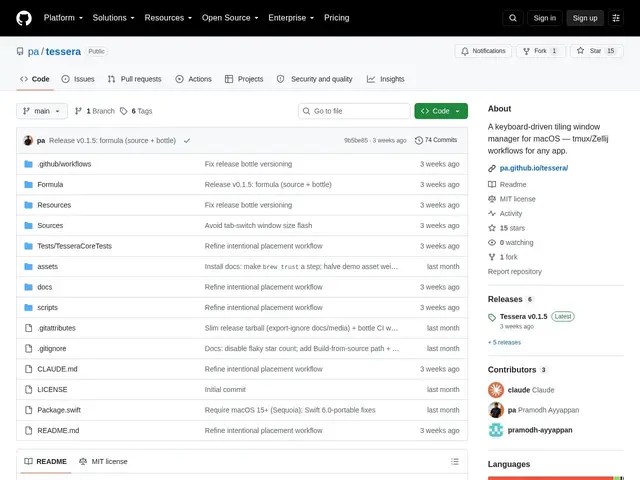
Description
If you've used a terminal multiplexer like tmux or Zellij, you already know the appeal: splits, tabs, and modal keyboard shortcuts that let you arrange and jump between panes without touching the mouse. Tessera takes that exact workflow and applies it to macOS as a whole, so your browser, editor, and Slack window get the same tiling treatment your terminal panes already have.
Tessera is a free, open-source (MIT) window manager built in Swift for macOS 15+ on Apple silicon, running as a lightweight menu-bar agent. It uses binary-space-partition (BSP) tiling with configurable padding, virtual tabs that act as independent workspaces, Zellij-style modal key modes (^P, ^T, ^R), a fuzzy-find command palette and workspace navigator, floating windows, full-screen zoom, and session restore. It works via macOS's Accessibility API, and specifically disables a setting called AXEnhancedUserInterface during window resizes to make it play nicely with apps that otherwise resist being tiled by third-party tools — installable via Homebrew or built from source, requiring Accessibility permissions and Stage Manager turned off.
💬 Our review
The short version: if you're already a tmux or Zellij person who's wished the rest of your Mac worked the same way, Tessera is free, open-source, and specifically engineered around the same modal-key philosophy — worth installing directly, since there's no cost to trying it.
The attention to detail is real: the AXEnhancedUserInterface workaround for stubborn apps and the virtual-tabs-as-workspaces model show the author actually hit and solved the annoying edge cases that plague most third-party macOS tiling tools. Being free and open-source under MIT means there's no financial risk, only setup time (Accessibility permissions, disabling Stage Manager). The stated limitations are honest ones to weigh: no multi-monitor support yet, and apps with hard minimum window sizes can overflow their tile — if either of those matters to your setup, check the repo's issues before committing. Compared to established paid tiling tools like Rectangle Pro or Magnet, Tessera trades some polish and multi-monitor completeness for being free and clearly aimed at power users who already think in tmux/Zellij terms.
💰 Pricing
📊 Global score
🤖 AI-enriched data
Projet open-source gratuit sous licence MIT, aucune offre commerciale.
Pros
Gratuit et open-source, licence MIT
Contournement spécifique pour les apps 'récalcitrantes' au tiling (AXEnhancedUserInterface)
Onglets virtuels fonctionnant comme des espaces de travail indépendants
Touches modales façon Zellij, palette de commandes floues
Cons
Pas de support multi-écran pour l'instant
Les apps à taille minimale imposée peuvent déborder de leur tuile
Nécessite de désactiver Stage Manager et d'accorder les permissions Accessibilité