Vector Ink
A vector drawing tool that runs entirely in your browser, so you can design a logo or clean up an SVG without installing anything.
🔗 Visit Vector Ink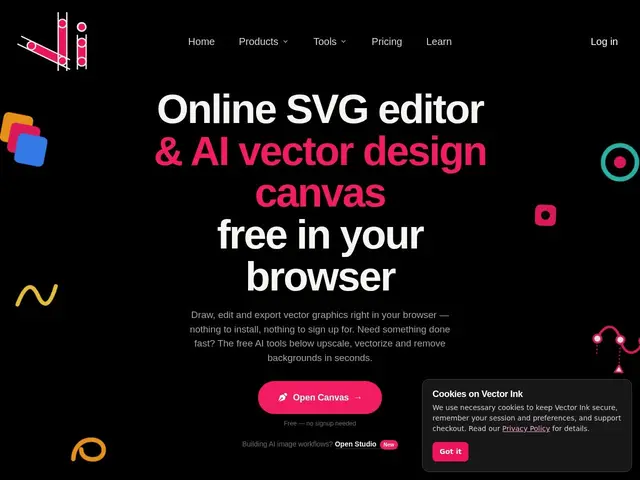
Description
Vector graphics — the kind of image that stays crisp whether it's the size of a favicon or a billboard — are usually the domain of desktop software like Illustrator that costs real money and takes time to learn. Vector Ink brings that same kind of editing into a web browser: you can draw logos, icons, and illustrations, or import an existing image and have the AI turn it into clean, editable vector shapes automatically.
The editor includes standard vector tools like a Shape Builder for combining paths, a Pen tool for Bezier curves, and linear/radial/conic gradient tools, alongside AI features for image generation, automatic vectorization of raster images, and background removal. It also converts SVGs to PNG for export, and ships with a library of thousands of ready-made, editable icons to start from rather than a blank canvas.
💬 Our review
The short version: if you need to make or edit a logo, icon, or simple illustration and don't want to buy and learn Illustrator for an occasional task, Vector Ink gets you real vector editing tools for free, in a browser tab.
Against Illustrator, the trade is obvious — Vector Ink won't match Adobe's decades of professional-grade tooling and plugin ecosystem, but it also doesn't demand a subscription or a learning curve for someone who just needs a clean logo or an icon set. Against other browser-based vector tools like Vectr or Method Draw, its edge is the AI layer: automatic vectorization of a raster image and background removal save real time compared to manual tracing. For anyone whose vector needs are occasional rather than professional-daily, the free tier removes the risk of committing to a tool before knowing if it fits. <!-- ai-generated -->
💰 Pricing
📊 Global score
🤖 AI-enriched data
Gratuit pour certains outils sans inscription, tarifs payants non détaillés
Pros
Éditeur vectoriel complet dans le navigateur
Vectorisation IA d'images bitmap
Bibliothèque de milliers d'icônes éditables
Option gratuite sans installation
Cons
Moins profond qu'Illustrator pour un usage pro quotidien
Tarifs non détaillés en page d'accueil
Qualité de vectorisation IA variable selon l'image source