Rotato
Turns a flat app screenshot into a slick 3D product video without touching any 3D software.
🔗 Visit Rotato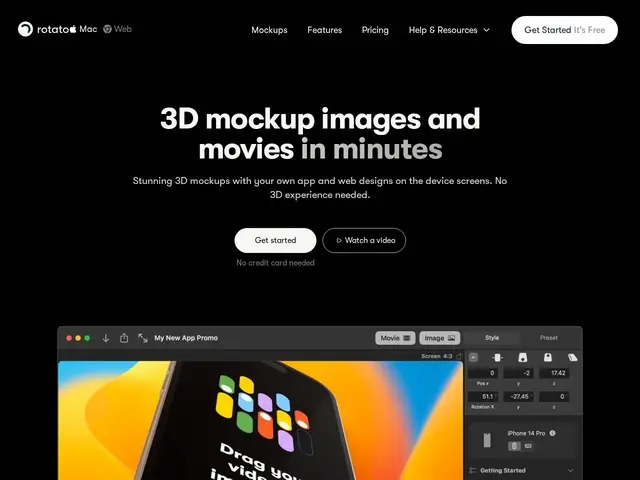
Description
If you have ever seen a slick video on an app's landing page where the phone spins slowly and the screen glows like it's floating in space, there is a good chance a tool like Rotato made it. It takes an ordinary screenshot of a website or app and wraps it around a realistic 3D device model, then lets you animate the whole thing into a short video, without needing to know anything about 3D modeling, cameras, or lighting.
Rotato ships with 30+ pre-built, customizable 3D devices (phones, laptops, tablets), supports 50+ image and video input formats, and exports up to 8K resolution. It includes a timeline-based animation editor, a presentation mode for live demos, a Figma plugin for pulling designs directly from a file, and even iPhone screen mirroring over USB with DSLR camera control for capturing real device footage. The company cites over 200,000 users, mostly designers, indie makers, and marketing teams producing App Store, Product Hunt, and landing page assets.
💬 Our review
The short version: if your job involves shipping a Product Hunt launch, an App Store page, or a landing page hero video and you don't have a motion designer on staff, Rotato gets you a professional-looking 3D device video in an afternoon instead of a week.
Compared to doing this in Cinema 4D or Blender, Rotato trades raw flexibility for speed — you're picking from pre-built device rigs rather than building a scene from scratch, but that's exactly the point for non-3D-artists. Against simpler mockup generators like Dynamic Mockups or Smartmockups, Rotato's edge is motion: it's built for animated video output, not just static images, which is what most App Store and launch pages actually need today. The free tier is generous enough to fully evaluate the tool before paying, which is the right call for a niche, occasional-use product like this. <!-- ai-generated -->
💰 Pricing
📊 Global score
🤖 AI-enriched data
Free trial illimité sans CB ; Pro à prix non publié
Pros
30+ appareils 3D prêts à l'emploi
Sortie vidéo animée, pas juste des images statiques
Plugin Figma + mirroring iPhone pour capture réelle
Essai gratuit illimité sans carte bancaire
Cons
Moins flexible qu'un vrai logiciel 3D pour des scènes sur-mesure
Prix du plan Pro non affiché
Trop pour qui a juste besoin d'un mockup statique unique