Viewer.Online
Lets you open almost any file — a weird old document format, a design file, an archive — straight in your browser to see what's inside, without installing the one specific program that normally reads it.
🔗 Visit Viewer.Online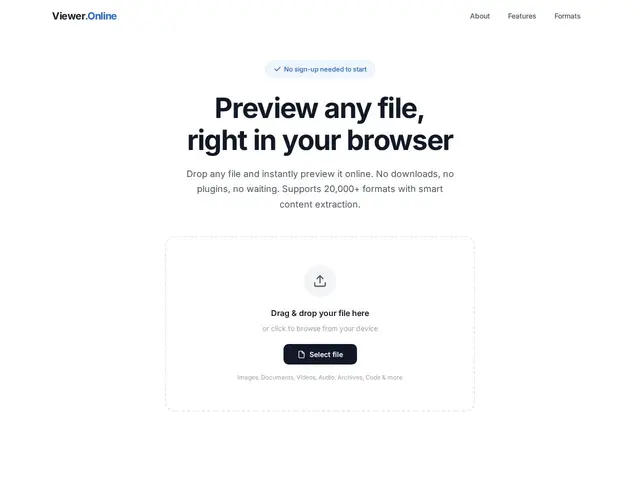
Description
Everyone has hit this problem: someone sends a file with an extension you've never seen, or an old format your current software won't open, and you don't want to install a whole application just to check what's inside one file. Viewer.Online exists for exactly that moment — drop the file on the page and it renders a preview, no account or software required for a basic look.
The service claims support for over 20,000 file formats and conversion between 1,500+ of them, spanning images (including RAW and PSD), documents (DOCX, PDF), video (MKV, MP4), audio, code and data files. Beyond simple viewing, it extracts metadata, hidden text, and archive contents, and files are processed in real time and automatically deleted afterward — nothing is retained. It grew out of FILExt.com, a file-extension reference site running since 2000, which explains the unusually broad format coverage. Partial previews and metadata extraction are free and unlimited; full previews and conversions require a paid account starting at $14.99/month for 500 previews, up to $24.90/month for 1,000 previews plus format conversion and priority processing.
💬 Our review
The short version: for the specific job of "I have a weird file and just need to see what's in it," Viewer.Online is genuinely convenient — no install, works on any device, and the free tier's unlimited metadata extraction covers a lot of casual use on its own.
Against CloudConvert and Zamzar, which are built primarily as conversion services, Viewer.Online's edge is the preview-first approach and its unusually deep format library (20,000+ formats, inherited from two decades of FILExt.com's format research) rather than conversion volume. But the paid tiers are metered by monthly preview count (500-1,000), which is restrictive if you're processing files in bulk rather than occasionally, and there's no API for automating the workflow — a real gap against CloudConvert, which is API-first. Worth it for occasional one-off file mysteries; not built for teams needing to convert files programmatically at scale.
💰 Pricing
📊 Global score
🤖 AI-enriched data
Gratuit : aperçus partiels et extraction de métadonnées illimités. Starter $14.99/mois (500 aperçus). Pro $24.90/mois (1000 aperçus + conversion + traitement prioritaire)
Pros
Plus de 20 000 formats supportés, couverture inhabituellement large
Aucune installation requise, fonctionne sur mobile comme desktop
Extraction de métadonnées et contenu d'archives, pas juste un aperçu simple
Suppression automatique des fichiers après traitement (respect de la vie privée)
Cons
Plafonds mensuels sur les aperçus des offres payantes (500-1000), pas adapté au traitement en masse
Aucune API publique pour automatiser les conversions
Compte payant nécessaire pour dépasser l'aperçu partiel
Pas de version open-source ou self-hosted