Motionfly
Turns a short text description of your product into a finished launch video — mockups, voiceover and music included — without touching a timeline editor.
🔗 Visit Motionfly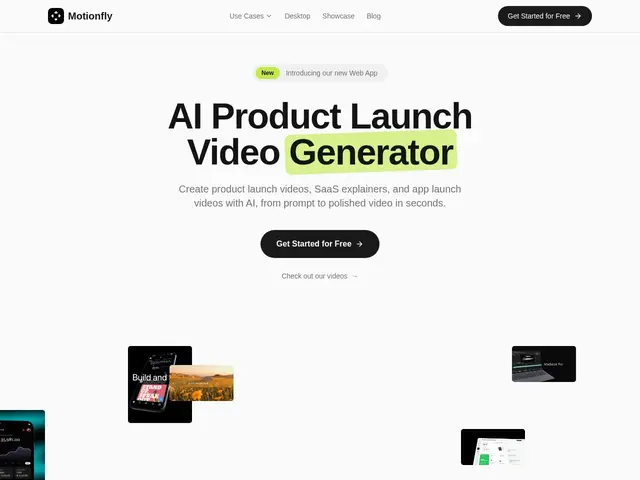
Description
Making a product launch video usually means hiring an editor, learning motion-design software, or spending a weekend fighting with a timeline you don't understand. Motionfly skips all of that: you describe your product in a sentence or two, and it assembles a finished video — 3D mockups of your app on a phone or laptop, animated text, a voiceover, background music and sound effects — in under a minute.
Motionfly is a prompt-to-video generator purpose-built for product marketing: SaaS explainers, app-launch videos, Product Hunt trailers and App Store preview clips. There's no timeline, no keyframes and no manual editing step — you write a prompt describing the product, its key features and the target audience, and the system outputs a 30-60 second video sized for the platform you're launching on. It ships a free tier at editor.motionfly.co with no credit card required, alongside paid tiers for teams that need more renders or localized variants; exact price points aren't published on the marketing pages.
💬 Our review
The short version: if you need a decent-looking launch trailer for Product Hunt, an app store, or a landing page and have zero video-editing skill or budget for one, Motionfly gets you there in a couple of minutes for free.
Its angle is narrow and that's the point — general AI video tools like Runway or Synthesia can do far more (custom scenes, avatars, longer cuts) but require you to direct the result; Motionfly trades that flexibility for a one-shot prompt-to-video pipeline tuned specifically for product marketing clips, complete with App Store-compliant dimensions and localization support baked in. The tradeoff is real: you're getting a templated result, not a bespoke edit, so don't expect it to replace an actual video editor for anything beyond a short promotional clip. Pricing transparency is also thin — the free tier is genuinely free, but you won't know what a paid plan costs until you're inside the product. Worth it for indie founders and small marketing teams who need one good 45-second video and need it now; not the tool for agencies producing varied, longer-form video content.
💰 Pricing
📊 Global score
🤖 AI-enriched data
Version gratuite sans carte bancaire sur editor.motionfly.co ; plans payants existants mais tarifs non publiés sur le site
Pros
Vidéo complète (mockups 3D, voix off, musique) générée en moins d'une minute à partir d'un simple prompt
Version gratuite sans carte bancaire
Formats prêts pour App Store, Product Hunt et réseaux sociaux, avec support de la localisation
Zéro courbe d'apprentissage — pas de timeline ni de montage manuel
Cons
Rendu templatisé, pas un montage sur-mesure — peu flexible comparé à un vrai éditeur vidéo
Tarifs des plans payants non publiés avant inscription
Limité aux formats courts de type teaser/launch, pas pour de la vidéo longue
Pas d'avatar ni de scènes personnalisées comme Synthesia ou Runway