Enroll
For the server nobody documented properly: Enroll looks at what's actually installed and configured on a live Linux machine and writes the Ansible files that would recreate it, instead of someone manually reverse-engineering years of undocumented changes
🔗 Visit Enroll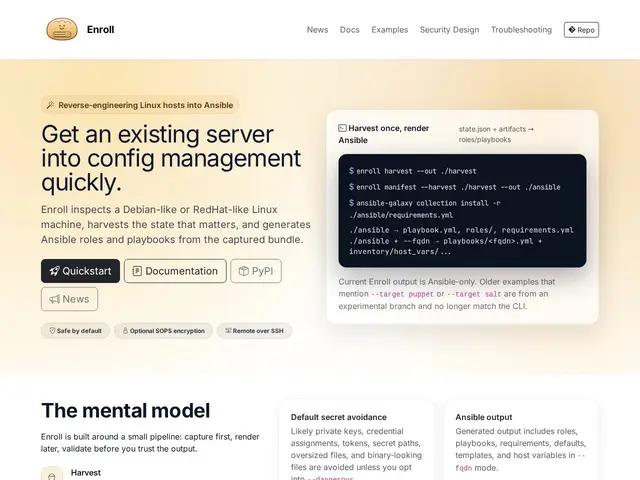
Description
Every sysadmin eventually inherits a server that 'just works' but nobody knows exactly why — packages were installed ad hoc, config files were hand-edited, and there's no record of any of it. Turning that into proper, repeatable Ansible automation normally means manually reading through the whole system and writing it all down, which is slow and error-prone.
Enroll automates that reverse-engineering step: it inspects a running Debian-like or RedHat-like Linux system (tested on Debian 13 and AlmaLinux 9), locally or remotely over SSH, and harvests installed packages, modified configuration files (via hash comparison against packaged defaults), sysctl settings, firewall rules, running services, users, SSH keys, symlinks, Flatpaks, Snaps, Docker images, and custom scripts. It then generates Ansible roles and playbooks from that harvested state through a three-stage Harvest → Manifest → Validate pipeline, with multi-site support via FQDN-based host variables and a diff mode to track configuration drift over time. By default it runs in a 'safe' mode that excludes likely secrets, private keys, tokens, and credentials from the output (with a '--dangerous' flag to disable that filtering), and can encrypt bundles at rest via SOPS. It's free, open source, and installable via apt/dnf repositories, pip, pipx, Poetry, or as an AppImage, requiring Python 3.11+ and Ansible.
💬 Our review
The short version: Enroll solves a specific, unglamorous DevOps problem well — turning an undocumented legacy server into real infrastructure-as-code — and the safe-by-default secret filtering is a genuinely thoughtful detail that shows the author has actually dealt with the 'oops, committed a private key' scenario.
Against doing this manually (SSH in, read config files, write playbooks by hand), Enroll saves what could be hours or days of tedious, error-prone work per server, especially for organizations migrating a fleet of legacy machines to config management for the first time. Against generic configuration-drift or compliance-scanning tools, Enroll's focus is narrower and more useful for this specific job: it's not trying to monitor drift continuously in production, it's trying to give you a one-time (or periodic) accurate snapshot to bootstrap Ansible adoption. There's no direct commercial competitor doing exactly this reverse-engineering job, which makes it hard to comparison-shop, but since it's free and open source there's little downside to trying it against a non-critical server first. It's squarely a tool for sysadmins and DevOps engineers, not a general audience — if you don't already know what Ansible is, this tool isn't for you yet.
💰 Pricing
📊 Global score
🤖 AI-enriched data
Aucun coût, installation via apt/dnf/pip/pipx/AppImage, nécessite Python 3.11+ et Ansible
Pros
Automatise la rétro-ingénierie d'un serveur non documenté en playbooks Ansible
Mode sécurisé par défaut qui exclut secrets et identifiants
Détecte les écarts par rapport aux configurations packagées par défaut
Gratuit, open source, installation flexible
Cons
Réservé à un public déjà familier d'Ansible et du DevOps
Pas de concurrent direct pour comparer facilement
Nécessite Python 3.11+ et Ansible comme prérequis
Ne remplace pas une surveillance continue du drift en production