WaitToUnlock
A free website that locks distracting apps behind an iOS Screen Time passcode you can't remember or guess, with a cool-down period before you're let back in.
🔗 Visit WaitToUnlock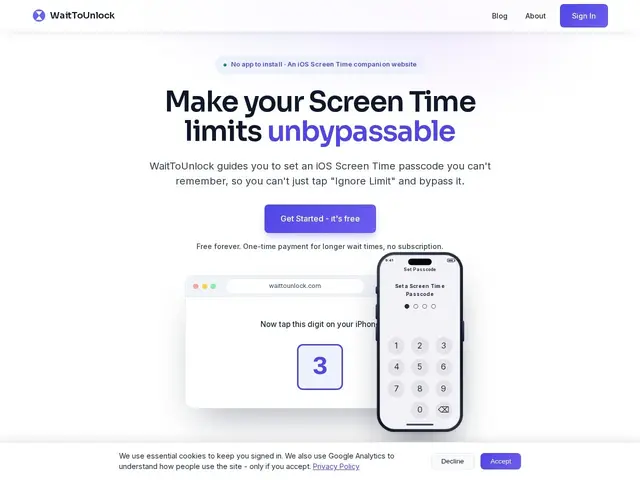
Description
Most screen-time apps rely on willpower — you set a limit, and then you're the one who has to resist tapping "just five more minutes." WaitToUnlock removes that decision entirely: it generates a random passcode you can't memorize, uses it to lock your chosen apps behind iOS's built-in Screen Time system, and only lets you back in after a wait period you set in advance (from 6 hours up to a month), by which point the urge to scroll has usually passed.
Technically, it's a browser-based companion tool with no app install required — it configures iOS's native Screen Time restrictions and stores the random passcode server-side, so it's genuinely un-bypassable on-device. The free tier covers the core feature; a one-time $19.99 lifetime upgrade unlocks extras, with no recurring subscription.
💬 Our review
The short version: if you've tried screen-time apps before and talked yourself past every limit, WaitToUnlock's un-memorable passcode actually removes the moment of choice — for many people that's the difference between "another app I ignore" and one that works.
Against Opal and Freedom, both subscription-based and requiring an app install, WaitToUnlock's pitch is refreshingly simple: no app, no subscription, just a one-time $19.99 payment for the full feature set versus Freedom's roughly $8.99/month or $129 lifetime. If you've already paid for Freedom or Opal and they're working for you, there's no reason to switch — but for anyone who hasn't committed to a subscription yet, the lower one-time cost and zero-install setup make WaitToUnlock the easier first thing to try. The catch is it's iOS-only, and it still requires you to set it up thoughtfully in a moment of clarity, since nothing stops you from configuring a short wait period.
📊 Global score
🤖 AI-enriched data
Gratuit (version de base). Upgrade à vie : 19,99 $ (pas d'abonnement).
Pros
Aucune app requise
Passcode non-mémorisable impossible à contourner
Délais configurables 6h à 1 mois
Pas d'abonnement
Intégration native Screen Time
Cons
iOS uniquement
Dépend de la discipline initiale
Requiert une volonté consciente au départ