Worklog
A free command-line app that keeps your daily task list and work log in a single local file on your own computer, with no account or cloud sign-up needed.
🔗 Visit Worklog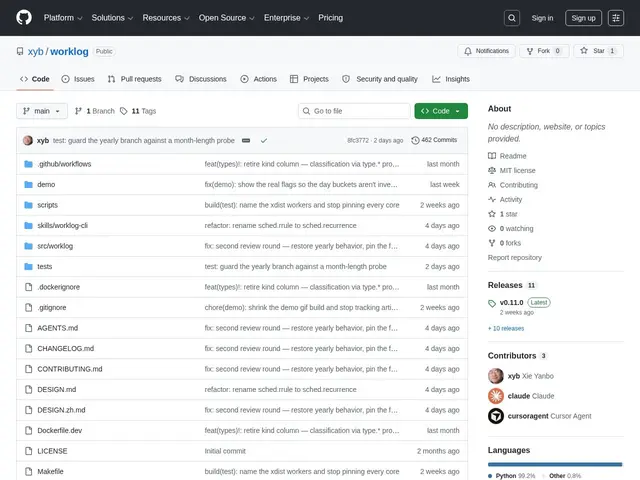
Description
Most task-tracking tools want you to create an account and store your notes on their servers. Worklog does the opposite: it's a small command-line tool that keeps everything — tasks, daily plans, dependencies between tasks — in one local database file on your own machine, so there's nothing to sign up for and nothing leaves your computer unless you choose to export it.
It's a free, open-source (MIT) Python CLI tool installable via pipx or uv, storing data in a single SQLite file. It supports full-text and semantic search, JSON output and OpenAI embeddings integration for AI-agent readability, and structured task dependencies (blocking, splitting, cross-relations).
💬 Our review
The short version: if you want a task tracker that never phones home and that an AI agent can query directly, Worklog is free and does exactly that — but it's a one-person project with almost no community yet, so treat it as a personal tool rather than a team solution.
Against Obsidian, Logseq, or Todoist, all of which have polished UIs, mobile apps, and real communities, Worklog trades all of that away for radical simplicity and local-first ownership: a single SQLite file, a CLI, and structured output an AI agent can parse. That's a genuinely different value proposition for developers who already live in a terminal and want their task data queryable by scripts or agents, not for anyone wanting a mobile app or visual interface. With just 1 star and 0 forks, long-term maintenance is an open question, so back up that SQLite file.
📊 Global score
🤖 AI-enriched data
Open source (licence MIT), installation gratuite via pipx ou uv.
Pros
Fonctionne localement sans cloud
SQLite comme base unique
Interface exploitable par des agents IA
Recherche sémantique intégrée
Gestion des dépendances entre tâches
Cons
Écosystème très réduit
CLI uniquement
Documentation limitée