CC-BEEPER
A floating macOS widget that shows the real-time status of Claude Code sessions with voice input and customizable auto-accept permission modes, so you don't have to keep the terminal in view.
🔗 Visit CC-BEEPER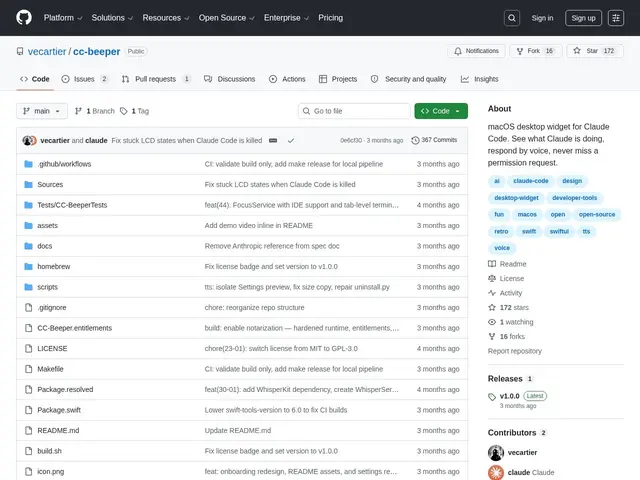
Description
If you run Claude Code in the background while doing other work, you've probably found yourself alt-tabbing back to the terminal every few minutes just to check whether it's still running, stuck, or waiting on a permission prompt. CC-BEEPER solves that by putting the status somewhere you'll actually notice it.
CC-BEEPER is a native Swift macOS app — itself built entirely with Claude Code — that floats a small retro-futuristic LCD-style widget on screen showing eight animated states (working, done, error, waiting for permission, listening, and more). It offers four auto-accept modes for handling permission prompts (Strict, Relaxed, Trusted, YOLO), voice input via WhisperKit or Apple's built-in Speech Recognition, and spoken summaries through Kokoro or Apple Text-to-Speech. Everything runs locally with zero external API calls or telemetry, has five global keyboard shortcuts, ten color themes, and three widget sizes. It's free, open source under GPL-3.0, with 172 GitHub stars and 367 commits at time of writing.
💬 Our review
The short version: if you're a Claude Code power user on macOS who wants ambient awareness of what your agent is doing without babysitting a terminal window, CC-BEEPER is a fun, genuinely useful, zero-cost add-on — there's nothing else quite like it.
There isn't really a direct competitor doing exactly this; the realistic alternative is just watching the terminal, or building your own tmux/notification setup. Compared to that DIY approach, CC-BEEPER's advantage is polish — retro LCD aesthetics, voice control, and spoken summaries are things most developers wouldn't bother building for themselves. The fact that it's entirely local (WhisperKit/Kokoro run on-device, no telemetry, no API keys) matters for anyone wary of another background process phoning home. The obvious limitation is platform lock-in: it's macOS-only and depends on having Claude Code installed, so Linux and Windows users, or those on other AI coding agents, get nothing from it. For its niche — solo macOS developers deep in Claude Code workflows — it's a low-effort, high-charm quality-of-life tool.
📊 Global score
🤖 AI-enriched data
GPL-3.0, gratuit, aucune clé API requise, aucun coût caché.
Pros
Interface LCD rétro-futuriste avec animations pixel art, huit états animés
Quatre modes d'auto-accept (Strict, Relaxed, Trusted, YOLO)
Entrée vocale (WhisperKit/Apple Speech) et récap oral (Kokoro/Apple TTS)
Entièrement local, zéro clé API, zéro télémétrie
172 stars GitHub, cinq raccourcis clavier globaux, dix thèmes
Cons
Réservé exclusivement à macOS, pas de support Linux/Windows
Dépend de Claude Code installé localement
Nécessite une version macOS récente pour certaines fonctions (WhisperKit)