Convoe
Team chat and task management app with AI assistant (Kai) for site and field teams. Turns conversations into tracked tasks, events, and assignments with free core features and optional paid AI plans.
🔗 Visit Convoe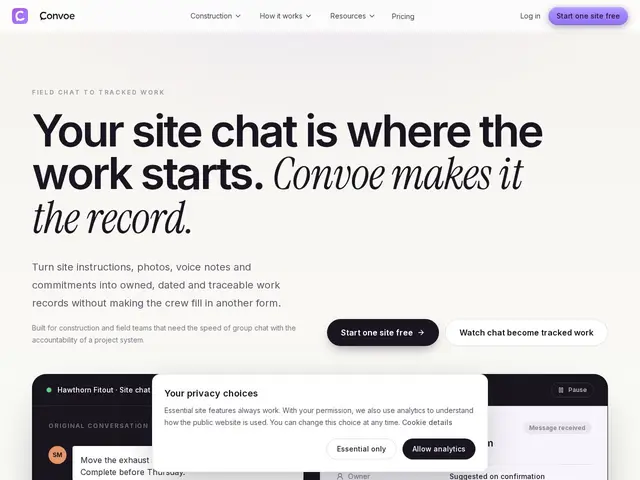
Description
On a construction site or in the field, most coordination still happens in a group chat — someone mentions a broken fixture, someone else says they'll handle it, and it's easy to lose track of who actually did what. Convoe keeps the casual group-chat feel a crew already uses, but adds an AI layer that reads the conversation and turns it into a tracked task with an owner, a due date, and a link back to the original message and photo.
Convoe unifies chat, task management and calendar features specifically for construction and field teams. It includes multiple AI specialists — Kai for summaries, Tai for actions, Maya for email, Arlo for reporting, Remi for reminders — that suggest and automate workflows while keeping source conversations and evidence visible. It works across web, iOS and Android, and integrates with Google Workspace and Microsoft 365, turning conversations into actionable records with photos, timestamps and ownership details.
💬 Our review
The short version: Convoe is a strong fit specifically for construction and field teams whose real workflow is a group chat that never gets turned into accountable tasks — it's built around that exact gap rather than trying to be a general Slack replacement.
Against Slack and Microsoft Teams — both with vastly bigger integration ecosystems, but neither automatically converting chat into tracked, owned tasks with photo evidence the way Convoe's AI specialists do — Convoe's value is specifically the chat-to-task conversion. ClickUp offers a much broader project-management suite, but you'd have to manually bridge chat and tasks yourself rather than getting it done automatically from the conversation. The free plan covering unlimited crew members for core chat/tasks/calendar is generous and de-risks trying it; the Lite/Pro AI add-ons ($19-39/month) are where the real automation value is gated, worth testing against your actual message-to-task conversion needs before assuming you need the higher tier.
💰 Pricing
📊 Global score
🤖 AI-enriched data
Free: chat, channels, files, task tracking and calendar for unlimited crew members. Paid AI add-ons per user/month: Lite $19 (1,500 AI actions + 25 documents/month), Pro $39 (6,000 AI actions + 150 documents/month), Team/Site $12 per active AI user (~800 actions + 12 documents/user/month).
Pros
Free plan covers core chat, tasks and calendar for unlimited users
AI specialists tailored to construction workflows (summaries, actions, reporting)
Source-linked records retain original messages, timestamps and photos
Web, iOS and Android apps
Human-verification philosophy — AI suggests, people confirm
Cons
Paid AI plans are per-user and can add up for larger teams
Document generation limits are moderate even on the Pro plan
Smaller integration ecosystem than Slack or Teams
Construction-focused positioning limits cross-industry flexibility