Banquish
A Mac app that lets you pull the useful part of any website — a chat, a video, a search box — off the page and pin it to your own personal canvas.
🔗 Visit Banquish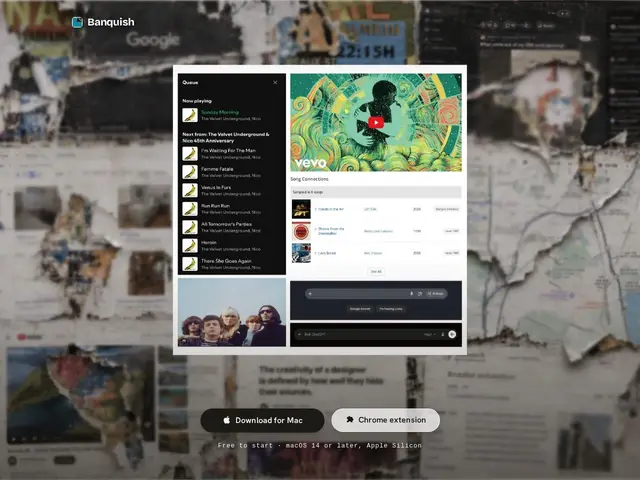
Description
Most people keep a dozen browser tabs open just to glance between a chat app, a video call, and a search box, switching context every few seconds. Banquish lets you tear those specific pieces out of their web pages and pin them side by side on one canvas — not as a screenshot, but as the real, live, clickable page — so instead of hunting through tabs you build your own custom dashboard out of the parts of the web you actually use.
Banquish is a native macOS application (with a companion Chrome extension) that clips live, interactive DOM elements from any website — search boxes, video players, chat threads, pricing widgets — and arranges them on a persistent canvas, preserving scrolling, real-time updates, and logged-in session state for services like Gmail, ChatGPT, or Spotify. An optional AI agent can run repetitive cross-panel tasks — clicking, gathering information, watching for changes — with the user approving each action rather than acting fully autonomously. The core app is free to start; usage of the AI agent is billed separately, though specific pricing tiers aren't published on the homepage yet.
💬 Our review
The short version: Banquish is a clever answer to tab overload for Mac users, built around a genuinely novel idea — keeping web content live and interactive on a custom canvas instead of just screenshotting it.
The live-clipping mechanic is the real differentiator versus a bookmark manager or a static screenshot tool like Milanote: the pieces you pull out keep working, scrolling, and updating, including staying logged into services like Gmail or Spotify. That's a harder engineering problem than it sounds and is worth the price of admission for someone who genuinely juggles many web tools at once. The catch is that this is a very early-stage, Mac-only product with no public agent pricing yet, so there's real uncertainty about what it'll cost once you go beyond the free tier, and no signal yet on multi-device sync. Compared to a more established workspace tool like Notion or a launcher like Raycast, Banquish solves a narrower but more specific problem — worth trying free if tab-switching fatigue is a real pain point, but go in expecting an unfinished product, not a mature one.
📊 Global score
🤖 AI-enriched data
Application de base gratuite. Usage de l'agent IA facturé séparément, aucun tarif public communiqué pour l'instant.
Pros
Clips web réellement interactifs et vivants, pas de simples captures d'écran
Préserve les sessions connectées (Gmail, ChatGPT, Spotify...)
Agent IA optionnel pour automatiser les tâches répétitives entre panneaux
Application native macOS gratuite pour démarrer
Cons
Disponible sur macOS uniquement, aucun support Windows/Linux
Produit très jeune, tarification de l'agent IA pas encore publique
Aucune information sur la synchronisation multi-appareils