JustOpenFile
A free website that lets you preview a PDF, Word doc, spreadsheet, ZIP or image right in your browser tab, without installing anything or uploading your file to a server.
🔗 Visit JustOpenFile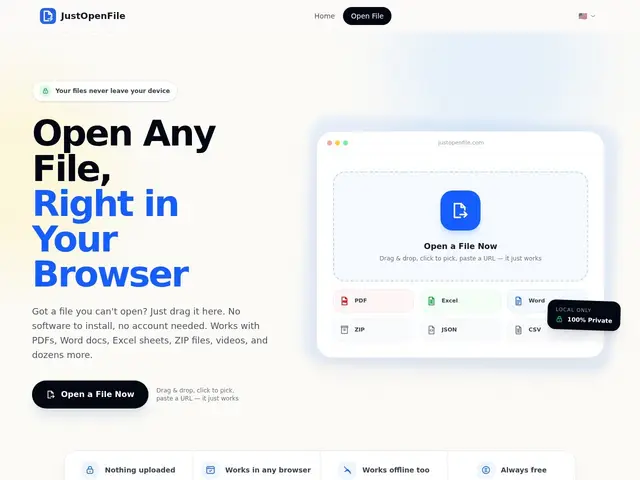
Description
Everyone has hit this wall: you're on a borrowed laptop, a work computer with locked-down software, or just don't want to install yet another PDF reader, and you just need to peek inside a file. JustOpenFile solves exactly that — drag a file onto the page, or paste a URL, and it opens right there in your browser, whether it's a PDF, a Word or Excel document, a ZIP archive, a JSON file, a CSV, an image, or a video.
The technical detail that matters here is that everything happens client-side: the file never leaves your device and is never uploaded to a server, which matters if you're opening anything remotely sensitive on a public or shared machine. It supports 14+ formats out of the box, works offline once the page has loaded, and can even be embedded via iframe by other websites that want built-in document preview without building their own viewer. There's no account, no tracking, and no fee — it's a straightforward utility, not a SaaS product with a growth story attached.
💬 Our review
The short version: it's free, it's genuinely private (nothing gets uploaded), and it does what it says — a solid bookmark for anyone who occasionally needs to peek inside a file without installing software, though it's a utility, not a full editor.
Against Microsoft's own Office web viewers or Google Docs' "preview" mode, the advantage here is that you don't need a Microsoft or Google account, and your file genuinely doesn't touch a server — Google and Microsoft's cloud viewers technically upload your document to view it. Against a dedicated desktop PDF reader, JustOpenFile trades installed-app performance and annotation tools for zero-setup convenience: you can't edit or annotate here, only view. The 14+ format range (PDF, Office docs, ZIP, JSON, CSV, images, video) is broader than most single-purpose viewers, which is the real selling point — one tab instead of five different tools. Since it's completely free with no upsell, there's no real financial downside to using it; the only tradeoff is that it's not going to replace a proper editor if you actually need to modify the file, just view it. <!-- ai-generated -->
💰 Pricing
📊 Global score
🤖 AI-enriched data
Aucun coût, aucun compte requis, aucune limite d'usage annoncée
Pros
100% gratuit, sans compte
Traitement local — le fichier ne quitte jamais l'appareil
14+ formats supportés (PDF, Word, Excel, ZIP, JSON, CSV, images, vidéos)
Fonctionne hors-ligne après chargement, intégrable en iframe
Cons
Visionneuse uniquement — pas d'édition ni d'annotation
Pas d'information sur le créateur ou la pérennité du projet
Pas de compte = pas d'historique ni de synchronisation entre appareils
Dépend du support navigateur pour les formats les plus lourds