Codify
A tool that lets you describe your ideal development computer setup — which programming languages, editors, and apps you need — in a simple config file, then run one command to have it built automatically on a new machine, instead of spending a day manual
🔗 Visit Codify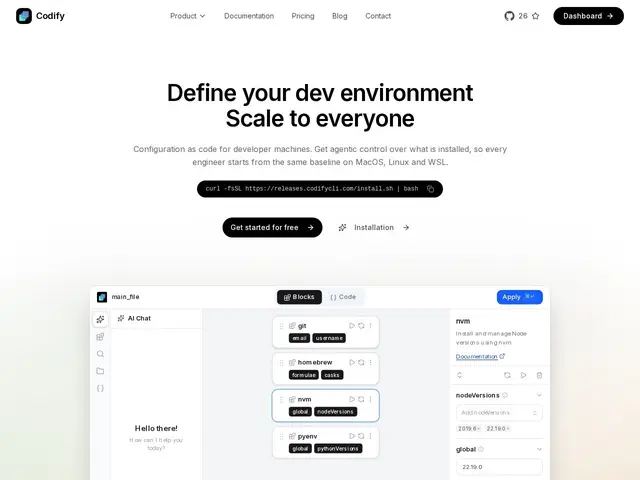
Description
Setting up a new laptop or onboarding a new developer usually means an afternoon of manually installing Node.js, Python, Docker, Git, VS Code, and a dozen other tools, then hoping you remembered every setting correctly. Codify treats your dev environment like infrastructure: you declare what you need in a JSON configuration file — version-controlled, shareable, reproducible — and one command builds it out on macOS, Linux, or WSL, following a "one command, setup anywhere" philosophy borrowed from tools like Terraform.
It covers 50+ core resources out of the box (Node.js, Python, Homebrew, Docker, Git, VS Code, and more), and includes an AI agent that can generate a configuration just from a plain-English description of what you need, rather than requiring you to hand-write the JSON yourself. Team workspaces support real-time collaboration on shared configs, there's change history with rollback if a setup change breaks something, and it includes security guardrails — sudo prompt handling, injection prevention, plugin verification — to keep the automation from doing something unsafe. It's open source from inception, with a free tier (CA$0/month: CLI, web editor, 20 AI messages/week, 3 team members) scaling to a Team plan at CA$20/month for larger groups with more storage and AI credits.
💬 Our review
The short version: for a team that onboards developers regularly or manages several machines, Codify's config-as-code approach to environment setup is a real time-saver — the free tier is limited enough that you'll likely want to test it on a real onboarding before deciding it's worth a paid plan.
Against Ansible or Chef, the established configuration-management tools that can also handle dev machine setup, Codify's advantage is being purpose-built for individual developer machines rather than fleets of servers — it's simpler to pick up and includes an AI agent that writes the config from a plain-English description, which Ansible doesn't offer. Against Nix or DevBox, which solve reproducible dev environments through different (more hermetic, but steeper-learning-curve) approaches, Codify trades some of that rigor for approachability: JSON configs and a four-step Detect→Plan→Configure→Verify flow are easier for a team without dedicated infrastructure expertise to adopt. At CA$5-20/month for the paid tiers, it's inexpensive relative to the hours saved reinstalling a dev environment from scratch, though the free tier's 3-file, 20-AI-message-per-week limit means you'll hit its ceiling fast if you're actively iterating on a team-wide config, so budget for at least the Freelancer tier if you're serious about adopting it. <!-- ai-generated -->
💰 Pricing
📊 Global score
🤖 AI-enriched data
Free CA$0/mois (20 messages IA/semaine, 3 membres, 3 fichiers), Freelancer CA$5/mois, Team CA$20/mois (25 membres, 50 fichiers), Enterprise sur devis
Pros
Agent IA qui génère la configuration à partir d'une description en langage naturel
50+ ressources prêtes à l'emploi (Node.js, Python, Docker, Git, VS Code...)
Historique des changements avec rollback
Open-source dès le départ, garde-fous de sécurité intégrés (prévention d'injection, vérification de plugins)
Cons
Plan gratuit limité (3 fichiers, 20 messages IA/semaine) — atteint vite ses limites en usage actif
Moins de rigueur/hermétisme qu'une approche Nix pour la reproductibilité stricte
Moins mature que Ansible/Chef pour la gestion de flottes de serveurs
Pas d'information sur l'ancienneté de l'entreprise derrière le produit