WhipDesk
Lets you check on and control an AI coding assistant running on your computer from your phone, so a long task doesn't have to wait until you're back at your desk.
🔗 Visit WhipDesk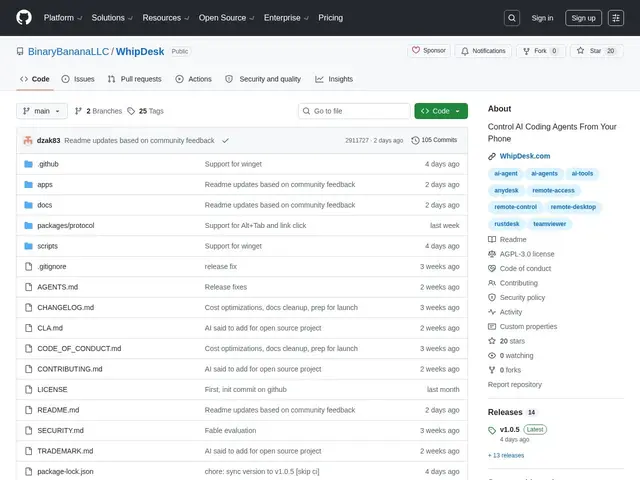
Description
AI coding agents like Claude Code or Cursor can run long tasks, but if you step away from your computer you usually have no way to check progress, answer a prompt, or nudge them in a different direction until you're back at the keyboard. WhipDesk solves that specific problem: it gives you full remote control of your development machine from any phone browser, encrypted end-to-end, with special support for watching and steering AI coding agents.
Built with Node.js/TypeScript and WebRTC, WhipDesk provides full desktop control and screen capture optimized for mobile — including smart zoom for reading code on a small screen. It auto-detects popular AI agents (Claude Code, GitHub Copilot, Cursor) running on the desktop, and lets you schedule prompt execution for time-based agent tasks. A personal prompt library ("Whipository") and a desktop-automation recorder ("LashStash") round out the agent-control features. Connections use DTLS encryption with peer-to-peer WebRTC for local network sessions, falling back to TURN relay for external access, and pairing requires a 6+ character PIN. It's open source under AGPL-3.0, cross-platform (macOS, Windows, Linux), installable via npm, Homebrew, winget, or Scoop, with 105 commits of recent activity.
💬 Our review
The short version: if you run long AI-agent coding sessions and hate being tethered to your desk while they execute, WhipDesk's phone-optimized remote control with agent auto-detection is a purpose-built answer to a problem generic remote-desktop tools weren't designed for.
Compared to general remote desktop tools like TeamViewer or Chrome Remote Desktop, WhipDesk's differentiator is being explicitly built around AI-agent workflows — auto-detecting Claude Code, Copilot, and Cursor sessions and letting you schedule prompts, rather than just mirroring a generic desktop. It's also free and open source (AGPL-3.0) versus TeamViewer's commercial licensing for anything beyond casual personal use. The tradeoffs: it's a young project (20 GitHub stars, 105 commits) built by a small team, so expect rougher edges than a decade-old commercial remote-desktop product, and full remote control of a dev machine from a phone is inherently a bigger attack surface — the PIN pairing and DTLS encryption are reasonable safeguards, but this is still early software you're trusting with machine-level access.
💰 Pricing
📊 Global score
🤖 AI-enriched data
Gratuit, licence AGPL-3.0
Pros
Détection automatique des agents IA (Claude Code, Copilot, Cursor)
Interface mobile optimisée avec zoom intelligent pour lire du code
Chiffrement de bout en bout (DTLS + WebRTC), relais TURN en secours
Planification de prompts pour tâches d'agent différées
Gratuit et open source, multiplateforme
Cons
Projet jeune (20 étoiles GitHub), moins éprouvé qu'un outil commercial établi
Contrôle complet de la machine depuis un téléphone = surface d'attaque plus large
Nécessite d'installer et configurer soi-même (npm/Homebrew/winget/Scoop)