VIZZ
A free website that turns any music or sound — from your microphone, a file, or a streaming app — into moving visuals on screen, no software install needed, useful for livestreams or just watching your music come to life.
🔗 Visit VIZZ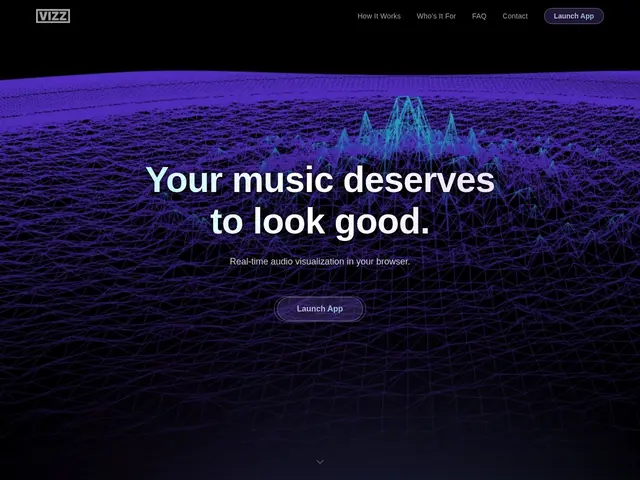
Description
Old-school media players like Winamp used to come with visualizers that pulsed and swirled along with your music, but that feature mostly disappeared as everyone moved to streaming apps. VIZZ brings it back as a website: point it at your microphone, a music file, a stream URL, or your system audio, and it renders real-time reactive visuals right in your browser.
VIZZ is completely free with no account, download, or plugin required, built on WebGL for smooth 60fps rendering. It offers dozens of visual styles you can customize (colors, speed, intensity, sensitivity), plus finer audio controls like gain, noise gates, bass attenuation, and spectrum remapping, and post-processing effects like kaleidoscope, bloom, and CRT filters. It works alongside Spotify, Apple Music, YouTube, and other apps via system audio capture, and has a full-screen mode built for live performances or streaming through OBS, Streamlabs, or similar capture software. It runs in Chrome, Edge, Firefox, Opera, and Brave; Safari has some performance limitations because of how it handles WebGL. There's currently no video export feature, though the maker has it listed as in development.
💬 Our review
The short version: for musicians, DJs, and streamers who want music visuals without installing anything or paying anything, VIZZ is close to a no-brainer — the only real gap right now is that you can't export a finished video file.
Against older desktop visualizers like Milkdrop or ProjectM, VIZZ's advantage is zero installation and instant use in any modern browser, which matters a lot for someone who just wants visuals for a one-off stream rather than setting up desktop software. Against paid streaming-visual tools, being completely free with no premium tier removes any pricing decision entirely — there's nothing to compare on cost. The real limitation is the missing export feature: if you need a rendered video file rather than a live on-screen or streamed visual, VIZZ can't currently do that, so you'd still need separate screen-recording software to capture the output. Safari users should also expect rougher performance than Chrome or Firefox given the stated WebGL limitations. For live use — streaming, performing, or just enjoying music — it's a well-built, zero-cost tool with no real downside.
💰 Pricing
📊 Global score
🤖 AI-enriched data
Entièrement gratuit, sans compte ni palier premium.
Pros
Entièrement gratuit, aucun compte ni installation requis
Rendu WebGL temps réel à 60fps
Dizaines de styles visuels personnalisables
Compatible OBS/Streamlabs pour le streaming live
Fonctionne avec Spotify, Apple Music, YouTube via capture système
Cons
Pas d'export vidéo pour l'instant (en développement)
Performances limitées sur Safari (contraintes WebGL)
Pas de monétisation visible — pérennité du projet incertaine
Outil mono-fonction, pas de suite créative plus large