Lispr
A free Mac app that types out whatever you say the moment you hold a key and speak — into any app, in nearly 100 languages, with instant translation if you need it.
🔗 Visit Lispr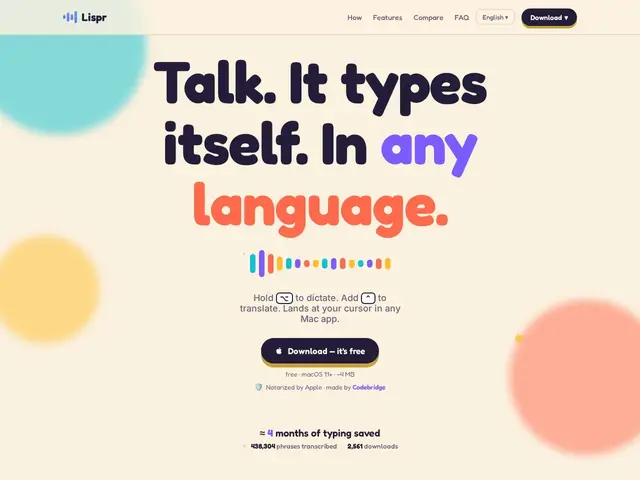
Description
Typing is slow compared to talking, but most "voice typing" tools are either clunky, tied to a subscription, or only work inside one specific app. Lispr works everywhere on your Mac: hold a key, say what you want to write, let go, and your words appear wherever your cursor was — an email, a chat, a document, a code comment — as if you'd typed it yourself. Hold a different key and it translates what you say into another language on the way in.
Lispr is a free macOS menu bar app (about 4 MB) that uses OpenAI's Whisper large-v3 model to transcribe speech locally-triggered but cloud-processed, at roughly 0.2-second latency for dictation and 0.5 seconds for translation into any of 32 supported target languages, with the ability to switch spoken language mid-sentence across around 99 recognized source languages. It requires no account, doesn't store audio server-side, supports a custom vocabulary/dictionary for jargon or names, and every release is notarized by Apple. It runs on macOS 11 (Big Sur) or later on both Intel and Apple Silicon Macs, needs microphone and accessibility permissions, and requires an internet connection since transcription happens in the cloud. It's built by Codebridge Technology, a Microsoft Partner founded in 2021, and launched in May 2026 while still in early access.
💬 Our review
The short version: for Mac users who want free, fast, no-account voice-to-text that works in any app, Lispr is close to a no-brainer to try — the only real question is how long "free" lasts once it exits early access.
Against Apple's built-in Dictation, Lispr wins on speed and multi-language mid-sentence switching, which native dictation doesn't do well. Against paid competitors like Wispr Flow (subscription-based, similarly fast), Lispr's price is the obvious selling point — it's currently free where Wispr Flow runs a monthly fee once you're past its trial. The tradeoffs: it's macOS-only (no Windows or Linux build), transcription is cloud-based rather than fully local so it needs a working internet connection and sends audio off-device momentarily, and being in early access with no published pricing roadmap means the free tier isn't guaranteed to stay free forever. For anyone comfortable with that uncertainty, there's essentially no downside to trying it today.
💰 Pricing
📊 Global score
🤖 AI-enriched data
Entièrement gratuit pendant la phase d'accès anticipé ; l'éditeur promet un préavis avant tout changement tarifaire futur.
Pros
Entièrement gratuit pendant l'accès anticipé, sans compte requis
Fonctionne dans n'importe quelle application, pas seulement un éditeur dédié
Changement de langue en cours de phrase, ~99 langues reconnues
Traduction quasi instantanée (~0,5s) vers 32 langues
Cons
macOS uniquement, aucune version Windows ou Linux
Transcription traitée dans le cloud, nécessite une connexion internet
Encore en accès anticipé — la gratuité n'est pas garantie à long terme