Typeahead
An autocomplete tool that finishes your sentences in any Mac app — email, code editor, chat — without ever sending what you type to the internet.
🔗 Visit Typeahead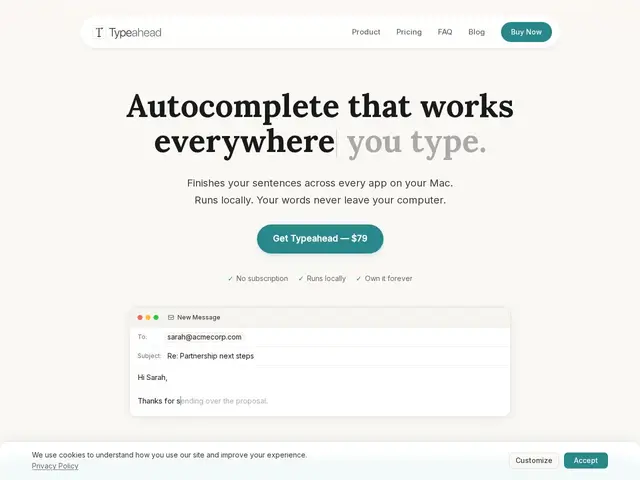
Description
Most AI writing helpers, including well-known ones, send your text to a company's servers to generate suggestions, which means anything you type — private emails, confidential notes, client messages — passes through someone else's infrastructure. Typeahead runs the entire model on your own Mac, so it can suggest how to finish your sentence without an internet connection or any of your text ever leaving your computer.
Typeahead is a macOS system-wide autocomplete tool that works across any app — email, messaging, code editors, documents — using local, GPU-accelerated inference with zero telemetry. It's a one-time $79 purchase (early-access pricing, regular price $149) rather than a subscription, with a 30-day money-back guarantee. The tool learns and adapts to the user's individual writing style over time and offers tab-to-accept inline suggestions similar to code-completion tools, but for general writing.
💬 Our review
The short version: if you like the convenience of AI-assisted writing but don't want your emails and notes sent to a cloud service, Typeahead is a genuinely private, one-time-purchase alternative — the tradeoff is it won't match cloud tools on sophistication of suggestions.
Against Grammarly and Notion AI, the obvious cloud-based comparisons, Typeahead's local-only architecture is the clear differentiator: nothing you type is ever transmitted, and it works offline, which matters if you handle sensitive client or company information. The one-time $79 price (vs. Grammarly's or Copilot's recurring subscriptions) is also a real advantage for long-term cost if the tool fits your workflow. The honest limitation is that on-device models are generally less capable than the large cloud models powering Grammarly's style suggestions or GitHub Copilot's code completions, so suggestion quality may feel less sharp, especially early before it has learned your style. It's a strong pick for privacy-conscious Mac users doing high-volume writing (support, sales, non-native English speakers); if you want the most advanced style coaching regardless of privacy, Grammarly's cloud models still lead.
💰 Pricing
📊 Global score
🤖 AI-enriched data
79 $ en accès anticipé (prix normal 149 $), achat unique sans abonnement, garantie satisfait ou remboursé 30 jours.
Pros
100% local — aucune donnée envoyée sur un serveur
Paiement unique (79 $) au lieu d'un abonnement récurrent
Fonctionne hors ligne, accéléré par le GPU
S'adapte au style d'écriture personnel dans le temps
Zéro télémétrie
Cons
Suggestions probablement moins sophistiquées que les modèles cloud de Grammarly
Mac uniquement, pas de version Windows/Linux
Entreprise jeune (Noats Inc.), peu d'informations publiques
Qualité des suggestions dépend du temps d'apprentissage du style utilisateur