Atomic
A normal note-taking app only finds what you wrote if you remember the exact words you used. Atomic reads the meaning of your notes instead, so asking "what did I decide about pricing last month" can surface the right note even if you never typed the word
🔗 Visit Atomic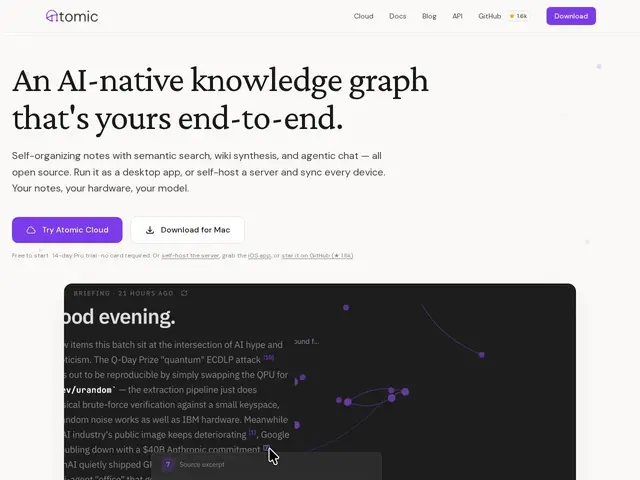
Description
Personal note-taking tools tend to force a tradeoff: either you get powerful AI search and organization but your notes live on someone else's cloud, or you keep full ownership but lose the smart features. Atomic is built to avoid that tradeoff by running the AI layer on infrastructure you control.
Atomic stores notes as markdown "atoms" that are automatically chunked, embedded (via sqlite-vec) and auto-tagged by topic, person, place or event — no manual folder maintenance. On top of that it offers semantic search (find ideas by meaning, not exact keywords), wiki synthesis (generate a cited article from all atoms under a tag), a spatial force-directed canvas to explore connections visually, and an agentic chat interface that searches your notes mid-conversation and cites sources rather than guessing. It runs as a desktop app (macOS/Linux/Windows), an iOS app, or a headless self-hosted server (Docker Compose or Fly.io), and connects to Claude or Cursor via MCP so you can query your own notes from inside your coding agent. It's open source under MIT with roughly 1.6k GitHub stars and 1,070+ commits; there's a free tier, a 14-day Pro trial with no payment required upfront, and an optional managed cloud hosting plan for people who don't want to self-host.
💬 Our review
The short version: if you already keep notes in markdown and want AI-powered search and organization without handing your personal knowledge base to a third-party cloud, Atomic is one of the few tools that takes self-hosting seriously rather than treating it as an afterthought.
Against a cloud-native competitor like Notion AI or Mem, Atomic's real differentiator is data ownership — the self-hosted server option (single Rust binary + SQLite) means your notes and their embeddings genuinely stay on infrastructure you control, which matters if you're storing anything sensitive. Against other open-source note tools like Obsidian plus plugins, Atomic's semantic auto-tagging and wiki synthesis are more baked-in and less DIY, at the cost of being a younger, smaller project (1.6k stars) with less of an established plugin ecosystem. Worth trying if you value data ownership and want AI search that actually understands meaning; the managed cloud option is there if self-hosting sounds like too much setup.
💰 Pricing
📊 Global score
🤖 AI-enriched data
Open source (MIT), auto-hébergeable gratuitement. Palier gratuit disponible ; essai Pro 14 jours sans paiement requis ; hébergement cloud managé en option payante.
Pros
Auto-hébergement pris au sérieux : binaire Rust unique + SQLite, léger
Recherche sémantique par sens, pas seulement mot-clé
Synthèse wiki automatique avec citation des sources
Intégration MCP pour interroger ses notes depuis Claude/Cursor
Open source MIT, gratuit pour l'auto-hébergement
Cons
Écosystème de plugins plus restreint qu'Obsidian
Projet plus jeune et plus petit (1,6k étoiles GitHub)
Auto-hébergement demande un minimum de confort technique (Docker/Fly.io)