QuickQuill
A Mac app that turns your voice or a meeting into text and summaries entirely on your own computer — no bot joining the call, nothing uploaded to the cloud, and no subscription.
🔗 Visit QuickQuill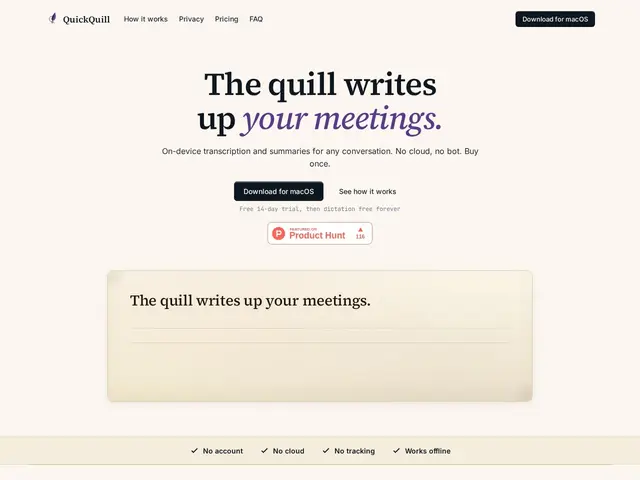
Description
Most AI meeting-note tools work by sending a "notetaker bot" into your call or streaming the audio to a company's servers — which means someone else's cloud has a copy of everything that was said. QuickQuill does the opposite: it records and transcribes directly on your Mac, nothing leaves the machine, no bot shows up on the call roster, and it even works with Wi-Fi off.
QuickQuill is a native macOS app (requires macOS 26 on Apple Silicon) offering push-to-talk dictation for any app, live subtitles with real-time translation, meeting recording and summarization run entirely on-device, no sign-in or account, and export to Markdown, SRT, VTT or subtitled video. Dictation is free forever; the full meeting-capture workflow is a single $49 purchase (launch price, rising to $79) rather than a subscription, and the app is made in Japan.
💬 Our review
The short version: if you want meeting notes without a bot joining your call or your audio touching someone else's server, QuickQuill is one of the few tools that actually delivers that, and a one-time $49 purchase beats a recurring subscription for most people's usage.
Against cloud-based notetakers like Otter, Fireflies or Fathom, QuickQuill's on-device-only design is a real structural difference, not just a marketing claim — it can't leak your meeting audio because it never sends it anywhere, and no participant sees a bot join the call. The tradeoff is platform lock-in (Mac + Apple Silicon + macOS 26 only, no Windows, no team-shared transcripts) and the usual accuracy gap between an on-device model and a large cloud model, which matters more for noisy multi-speaker calls than for solo dictation. The one-time pricing model is also refreshingly simple next to the monthly-subscription norm in this category. Strong pick for a solo Mac user who values privacy and hates subscriptions; not a fit for a team that needs shared, searchable meeting transcripts across the whole org.
💰 Pricing
📊 Global score
🤖 AI-enriched data
Free : dictée illimitée à vie, vocabulaire personnalisé, export texte/Markdown. Payant : $49 en achat unique (prix de lancement, passera à $79), capture de réunion illimitée, résumés sur l'appareil, sous-titres live, traduction.
Pros
100% sur l'appareil — aucune donnée envoyée dans le cloud, fonctionne même Wi-Fi coupé
Aucun bot ne rejoint l'appel, contrairement à la quasi-totalité des concurrents
Achat unique ($49 au lancement) plutôt qu'un abonnement mensuel
Dictée gratuite à vie, sans compte requis
Cons
Mac uniquement, nécessite Apple Silicon et macOS 26 — pas de Windows
Pas de transcripts partagés en équipe, usage individuel seulement
Précision probablement inférieure à un modèle cloud sur des appels multi-locuteurs bruyants
Prix qui montera à $79 après la période de lancement