Deck AI
An AI assistant that lives at its own email address — CC it on a thread or forward it a task, and it handles the reply, without ever getting a password to your actual inbox.
🔗 Visit Deck AI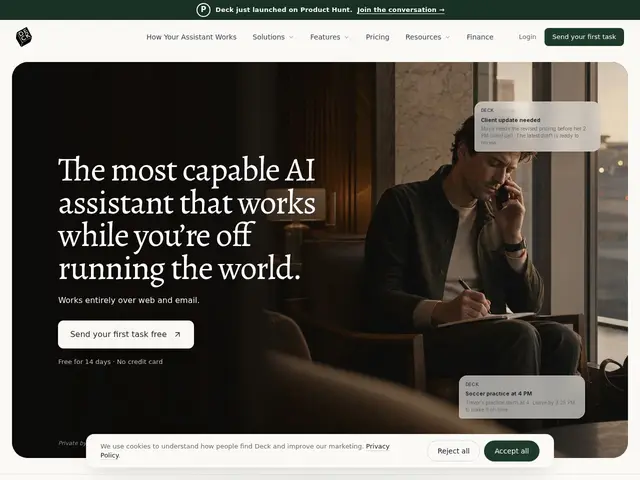
Description
Giving an AI assistant full access to your email inbox to "help" always comes with a nagging worry about what it can read and touch. Deck sidesteps that by not asking for your inbox at all: it has its own email address, and you simply CC it on a thread or forward it a task, the same way you'd loop in a human assistant, and it replies from there — no plugin, no app permissions, no password shared.
Deck is an always-on AI email assistant that works across Gmail, Outlook, Superhuman and Notion Mail purely through CC/forwarding, learning a user's tone and priorities over time to draft replies, run scheduled routines like daily briefs, prep for meetings, and integrate with CRMs, Slack, Notion and Fireflies. It's SOC 2 certified and GDPR compliant, states it never trains on user data, and only replies to the person who invoked it rather than other recipients on a thread — a deliberate design choice to limit blast radius if something goes wrong.
💬 Our review
The short version: Deck's "no inbox access, just CC me" model is a smart answer to the biggest objection people have to AI email assistants, and the free tier (20 messages/day) is enough to actually try it before paying.
Compared to inbox-integrated assistants like Superhuman AI or generic AI email plugins that need OAuth access to your whole mailbox, Deck's zero-permission design is a genuine privacy edge — worth noting for anyone in finance, sales or a regulated field who's been told "no" to inbox-connected AI tools by IT or legal. The restriction that it only replies to the person who CC'd it (not the whole thread) is a sensible safety rail, though it also means it can't fully ghost-write outbound emails to third parties without a human relaying the draft. At $29.99/month for unlimited use, it's priced in line with other AI productivity add-ons; the free 20-messages/day tier is generous enough to validate the workflow risk-free first. Worth it for teams blocked from inbox-integrated AI by compliance concerns; less compelling if your org already trusts a full-access tool and wants deeper automation than CC-based interaction allows.
💰 Pricing
📊 Global score
🤖 AI-enriched data
Free : $0/mois, 20 messages/jour, une adresse email. Pro : $29.99/mois, messages et automatisations illimités, essai gratuit 14 jours. Enterprise : sur devis (SSO/SAML, API).
Pros
Zéro accès direct à la boîte de réception — fonctionne uniquement par CC/transfert
Certifié SOC 2, conforme RGPD, ne s'entraîne jamais sur les données utilisateur
Ne répond qu'à la personne qui l'a sollicité, jamais aux autres destinataires du fil
Palier gratuit généreux (20 messages/jour) pour tester avant de payer
Cons
$29.99/mois pour un usage illimité, un coût récurrent de plus
Ne peut pas rédiger et envoyer directement à des tiers sans relais humain
Date de fondation non communiquée, produit encore jeune
Marché des assistants email IA déjà très concurrentiel