Harper
A free grammar checker that works entirely on your own computer — nothing you type ever gets sent to a server — unlike most grammar tools that need an internet connection to work.
🔗 Visit Harper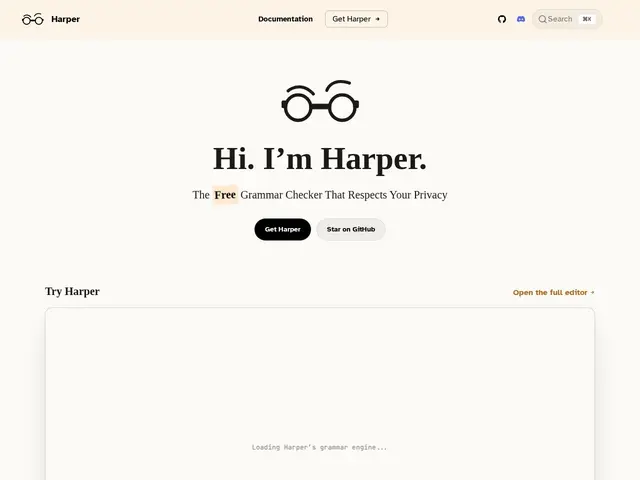
Description
Most grammar-checking tools, including well-known ones, send everything you type to a company's servers to be analyzed, which means your private notes, drafts and messages pass through someone else's infrastructure. Harper checks your grammar entirely on your own device, with no internet connection required and nothing ever leaving your computer, while still being fast enough to correct as you type.
Harper is a free, open-source (Apache 2.0, ~13,100 GitHub stars) offline grammar checker built by Automattic (the company behind WordPress.com), written in Rust for millisecond-speed linting with a memory footprint reported to be about 1/50th that of LanguageTool, a popular alternative. It compiles to WebAssembly for browser use and integrates with a wide range of editors and apps including VS Code, Neovim, Helix, Emacs, Zed, Obsidian and Chrome.
💬 Our review
The short version: if you care about privacy and don't want your writing sent to a cloud grammar-checking service, Harper is a genuinely fast, free, offline alternative built by a real company with a track record (Automattic/WordPress.com).
Against Grammarly, the obvious comparison and category leader, Harper's tradeoff is honest: it won't match Grammarly's more sophisticated style suggestions and tone analysis, which rely on larger cloud-based language models, but it wins decisively on privacy (nothing leaves your machine) and speed (Rust-native, millisecond response). Against LanguageTool, the closer open-source comparison, Harper's much smaller memory footprint and broader native editor integrations (Zed, Helix, Emacs) are the real differentiators. For anyone writing in an editor already on the supported list who values not sending drafts to a third-party server, it's a strong, no-cost choice; for someone who wants the most advanced AI-driven style coaching regardless of privacy tradeoffs, Grammarly still leads there.
💰 Pricing
📊 Global score
🤖 AI-enriched data
Entièrement gratuit et open source (licence Apache 2.0).
Pros
Gratuit, open source, développé par une entreprise établie (Automattic)
100% hors ligne — rien n'est envoyé sur un serveur
Empreinte mémoire ~50x plus légère que LanguageTool
Intègre de nombreux éditeurs (VS Code, Neovim, Zed, Obsidian, Chrome)
Cons
Suggestions de style moins sophistiquées que Grammarly (pas de gros modèle cloud derrière)
Écosystème d'intégrations encore en croissance comparé à Grammarly
Ciblé sur l'anglais principalement, support multilingue à vérifier
Pas de coaching de ton/style avancé type Grammarly Premium