croc
A free command-line tool that lets you send a file directly to a friend or colleague's computer, encrypted, using a simple memorable code phrase instead of setting up a server or a cloud upload.
🔗 Visit croc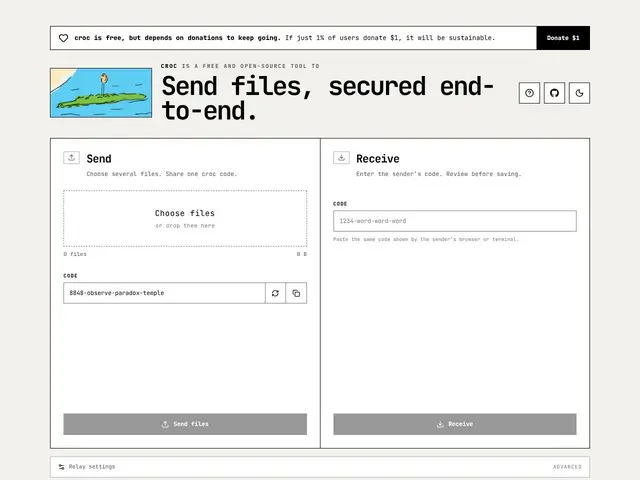
Description
Sending a large file to someone usually means uploading it to a cloud service, waiting for it to sync, and sending a link — slow, and the file sits on someone else's server in the meantime. croc skips all of that: you run one command, get a short code phrase, tell the other person the phrase, and the file transfers directly between the two computers, encrypted the whole way, with no account or cloud storage involved.
croc is a mature, well-established (created 2017, ~38,300 GitHub stars, MIT license) command-line file transfer tool written in Go, using PAKE (password-authenticated key agreement) for end-to-end encryption. It works cross-platform (Windows, Linux, macOS, and even via a web client in browser), requires no port-forwarding or local server setup, can resume interrupted transfers, supports multiple simultaneous transfers, generates QR codes for phone-to-computer transfers, works over Tor and other proxies, and offers a self-hosted relay server option for organizations that want to keep transfers entirely in-house.
💬 Our review
The short version: if you regularly need to send files between computers without cloud storage in the middle, croc is a mature, well-loved command-line tool that just works, and it's free.
What's notable here isn't the tool itself — it's been reliable and well-regarded in the developer community for years — but that it wasn't already in this catalog despite being a genuinely well-known, widely-used utility; that's a real gap being filled rather than a new discovery. Against alternatives like Magic Wormhole (similar concept, Python-based) or commercial services like WeTransfer, croc's advantages are speed (direct transfer, no upload/download round-trip through a third party), zero cost, and the option to self-host your own relay for full control. The tradeoff is that it's a command-line tool — there's no polished GUI app for non-technical users, so it's squarely aimed at developers and technical users comfortable with a terminal.
💰 Pricing
📊 Global score
🤖 AI-enriched data
Entièrement gratuit et open source (licence MIT).
Pros
Gratuit, open source, mature et éprouvé depuis 2017
Chiffrement de bout en bout (PAKE), transfert direct sans stockage intermédiaire
Aucune configuration réseau requise (pas de port-forwarding)
Reprise de transferts interrompus, transferts multiples simultanés
Cons
Outil en ligne de commande uniquement, pas d'interface graphique native pour non-techniciens
Les deux parties doivent avoir croc installé (ou utiliser le client web)
Moins adapté au grand public que des services comme WeTransfer
Nécessite de partager le code phrase par un canal séparé (message, appel)