Wispro
A free Windows app that turns your spoken words into clean, correctly formatted text in whatever app you're typing into.
🔗 Visit Wispro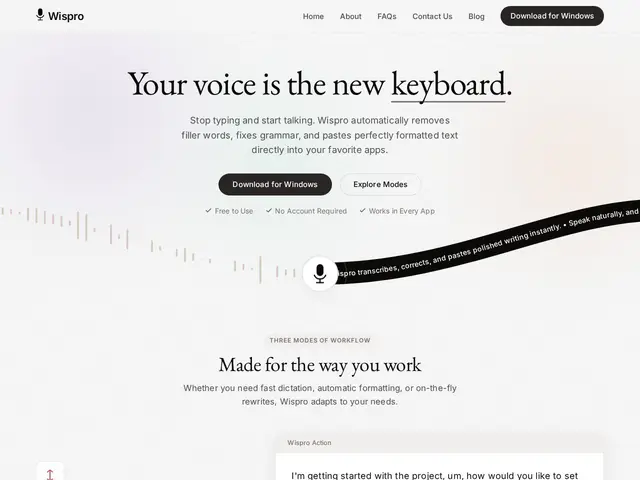
Description
Typing is slow, and for a lot of people it's also physically uncomfortable after a full day at the keyboard. Wispro sits quietly in your Windows system tray, and when you hold a shortcut key and talk, it turns your speech into text and drops it directly into whatever app you were using — an email, a Slack message, a code comment — already cleaned up, with filler words and stumbles removed automatically.
Wispro is a native Windows dictation tool that works inside 100+ applications (Slack, Teams, Gmail, Discord, VS Code and more) rather than being tied to its own interface. It offers three modes: Basic (raw transcription), Smart (AI-cleaned prose with grammar fixes), and Command (voice-triggered text generation, e.g. "write a polite decline"). It supports 90+ languages with automatic language detection, keeps a personal dictionary for acronyms and jargon, and processes audio locally with encryption — no voice recordings are stored in the cloud. It's distributed free through the Microsoft Store, with every feature included at no cost.
💬 Our review
The short version: if you're on Windows and tired of typing, Wispro is a genuinely free, no-account way to dictate text into almost any app, with none of the subscription paywalls competitors love to hide behind.
The real question with Wispro isn't accuracy — dictation quality is largely a function of the underlying speech model, and most modern tools are close — it's sustainability. A fully free product with local processing and zero monetization hooks (no ads, no upsell tier) is unusual, and the honest read is either the company plans to monetize later (a paid Pro tier, enterprise licensing) or it's subsidized by something else entirely. Against Wispr Flow, its closest direct competitor, Wispro's edge is broader OS-level app coverage (100+ apps) and a genuinely zero-friction install with no account wall; Dragon Professional still wins on raw accuracy for specialized vocabularies (medical, legal) but costs hundreds of dollars. For everyday Windows dictation with no budget, Wispro is worth trying precisely because there's no cost to trying it.
💰 Pricing
📊 Global score
🤖 AI-enriched data
100% free, no subscription, no account required, all features included (as of launch, July 2026).
Pros
Entièrement gratuit, sans compte ni abonnement
Fonctionne dans 100+ applications plutôt que dans une interface fermée
Traitement local, aucun enregistrement vocal stocké dans le cloud
3 modes (brut, IA nettoyée, commande vocale) et dictionnaire personnel
Cons
Windows uniquement, pas de version Mac/Linux
Modèle 100% gratuit difficile à maintenir dans la durée — surveiller un futur changement de pricing
Marché déjà occupé par Wispr Flow, également gratuit sur ses plans de base
Produit jeune (lancé juillet 2026), pas encore de recul en production