ClipDone
You upload a raw, unedited video, and ClipDone hands back a finished, publish-ready short clip — cutting out the silences and awkward pauses, adding captions, dropping in relevant B-roll, and applying motion graphics automatically, the tasks a video edito
🔗 Visit ClipDone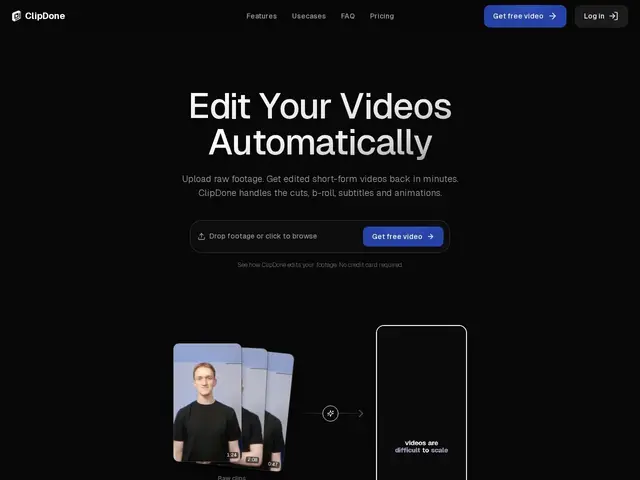
Description
A big chunk of raw footage — recorded talking-head videos, podcast clips, screen recordings — is silence, filler words, and false starts before it's even usable, and manually trimming, captioning, and polishing all of that for social media eats hours per video. ClipDone automates that whole pass: you upload footage and get back an edited short-form video, without opening a timeline editor yourself.
ClipDone is an AI video editing automation tool aimed at short-form content: it transcribes the footage, detects and removes silences and filler words, assembles the remaining content logically, adds matching B-roll, generates styled subtitles, and applies motion graphics — producing a video ready for YouTube Shorts, TikTok, or Instagram Reels. It's positioned for content creators, agencies, and marketing teams who need to produce social clips at volume without scaling up editing headcount. The site doesn't require a credit card to start.
💬 Our review
The short version: ClipDone is worth a look if you're producing a steady stream of short-form video and the editing (not the filming) is your bottleneck — it automates the repetitive parts (cuts, captions, B-roll) that eat the most time per clip.
It competes directly with tools like Opus Clip and Descript's short-form features, both of which offer similar automated cut/caption/B-roll pipelines — the space is crowded, and differentiation mostly comes down to output quality and how much manual cleanup is needed afterward, which is hard to judge without hands-on testing. Because ClipDone's own pricing page wasn't reachable at review time, factor in checking current plan details directly before committing budget; the lack of a credit-card requirement to start at least makes it low-risk to try. For an agency or creator already paying for Opus Clip or Descript, switching only makes sense if ClipDone's output needs meaningfully less manual touch-up — worth a side-by-side test on your own footage before deciding.
💰 Pricing
📊 Global score
🤖 AI-enriched data
Pas de carte bancaire requise pour démarrer ; détails de tarification à vérifier directement sur le site.
Pros
Automatise coupes, suppression de silences/mots de remplissage, B-roll et sous-titres
Pensé pour la production en volume (YouTube Shorts, TikTok, Reels)
Pas de carte bancaire requise pour démarrer
Motion graphics ajoutés automatiquement
Cons
Tarification non publique au moment de la revue
Marché déjà encombré (Opus Clip, Descript)
Qualité du montage automatique à tester sur ses propres rushs