Screenpipe
An open-source app that records your screen and audio locally, 24/7, then turns what you actually did into a searchable memory that AI agents can use — like giving an AI assistant a diary of your workday instead of it starting from zero every time.
🔗 Visit Screenpipe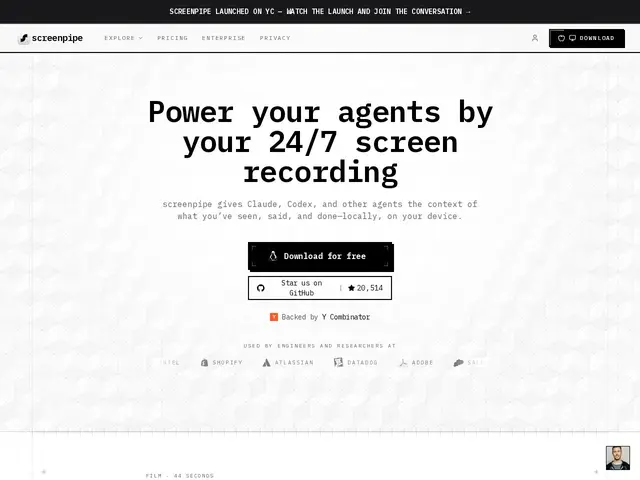
Description
AI agents are only as useful as what they know about how you actually work, and today most of them know nothing beyond whatever you type into a chat box. Screenpipe fixes that by quietly recording everything on your screen and what's said out loud, all stored locally on your own machine rather than a cloud server, then turning that raw activity into a searchable record — so when you ask an AI agent to repeat a task it's watched you do before, it actually has the steps to work from, instead of you re-explaining everything from scratch each time.
Screenpipe is a YC-backed (S26), open-source, local-first continuous recording pipeline: screen and audio capture feed into a local SQLite database, exposed through an MCP/API layer that AI agents can query to retrieve searchable memory, SOPs, and automation triggers built from real observed activity. Because processing happens on-device rather than in the cloud, sensitive screen content doesn't have to leave the user's machine. It's free to download; the site references team/enterprise plans without publishing exact pricing.
💬 Our review
The short version: Screenpipe is for someone who wants an AI agent to actually learn from watching them work — repeating a multi-step process correctly instead of needing it re-explained — and who's comfortable with the idea of continuous screen/audio recording as the price of that memory, as long as it stays local.
Its real differentiator versus building 'agent memory' through chat history or manual documentation is that it captures what you actually did, not what you remembered to write down afterward, and doing that recording and storage entirely on-device (rather than uploading screen recordings to a cloud vendor) is a meaningful trust decision given how sensitive screen recording data can be. Being open-source and backed by a fast-growing YC batch company (reportedly ~20K GitHub stars shortly after launch) suggests real momentum and community scrutiny of the code, which matters for a tool with this level of access to your machine. The honest caveat: continuous screen/audio recording is inherently a bigger privacy commitment than most productivity tools ask for, so it's worth being deliberate about what you run it during, and enterprise pricing isn't public yet, so budgeting beyond the free tier takes a sales conversation.
💰 Pricing
📊 Global score
🤖 AI-enriched data
Téléchargement et usage de base gratuits. Offres team/enterprise mentionnées sur le site mais tarifs non publiés — contact commercial nécessaire.
Pros
Enregistrement et stockage 100% locaux — rien n'est envoyé à un cloud tiers
Open source, forte traction communautaire (~20K étoiles GitHub peu après le lancement)
Transforme l'activité réelle observée en mémoire exploitable par des agents IA (via MCP/API)
Gratuit pour l'usage individuel de base
Cons
Enregistrement continu écran/audio = engagement de confidentialité important à assumer
Tarification team/enterprise non publique
Nécessite de faire tourner un enregistreur en permanence, coût CPU/stockage local à surveiller