Mailtwine
Sorts a chaotic inbox into a clear action list — what's urgent, what can wait, what's already drafted and just needs your yes — instead of you scrolling through everything yourself.
🔗 Visit Mailtwine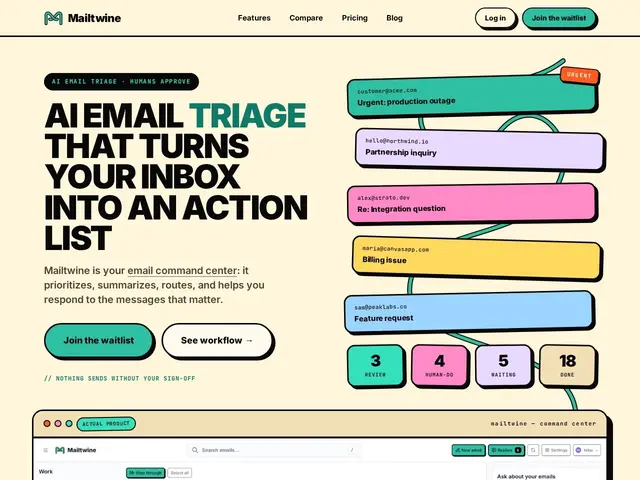
Description
For teams whose inbox is genuinely mission-critical — support, sales, a founder's investor emails — a messy inbox isn't just an annoyance, it's missed deadlines and dropped conversations. Mailtwine acts as a command center on top of your existing email: it automatically classifies incoming messages by urgency and importance, drafts replies using AI, and routes messages through a visible workflow (Incoming → Triage → Draft → Route → Approve), but never sends anything without a human clicking approve.
Rules are written in plain language rather than a rigid rules-builder UI, and it connects to Google Workspace, Microsoft 365, Fastmail, and generic IMAP, with a Chrome extension for in-browser use. The human-approval step is the core design constraint — it's explicitly built as an assistant that prepares work, not an autonomous agent that sends on your behalf.
💬 Our review
The short version: Mailtwine is aimed at teams drowning in a high-volume, high-stakes inbox who want AI to do the sorting and drafting without the risk of it sending something wrong on its own — a sensible middle ground if you've been burned by fully autonomous email tools.
Against Superhuman, Shortwave, or Fyxer, which each blend speed/UI polish (Superhuman), AI search (Shortwave), or full automation (Fyxer) into the email experience, Mailtwine's specific differentiator is the mandatory human-in-the-loop approval on AI drafts — a deliberate trust boundary that costs a bit of speed but avoids the failure mode of an AI agent sending something embarrassing or wrong. It's currently in beta with pricing undisclosed, and the promised future open-sourcing (AGPL at v1) isn't true yet, so don't describe it as open-source today. Worth joining the waitlist if inbox triage is a real bottleneck for your team and you specifically want the human-approval safety net other tools skip.
📊 Global score
🤖 AI-enriched data
En bêta avec liste d'attente — tarification non publiée
Pros
Approbation humaine obligatoire avant tout envoi IA
Classification automatique urgence/importance
Règles en langage naturel, pas de constructeur de règles complexe
Compatible Google Workspace, Microsoft 365, Fastmail, IMAP
Cons
Encore en bêta, tarification inconnue
Passage en open-source (AGPL) annoncé mais pas encore effectif
Peu de recul indépendant sur la fiabilité en production