Upstream
An email inbox with a very competent assistant built in — instead of Gmail dumping everything into one pile you have to sort yourself, Upstream automatically splits it into what needs a reply, what can wait, and what's just noise, and drafts replies in yo
🔗 Visit Upstream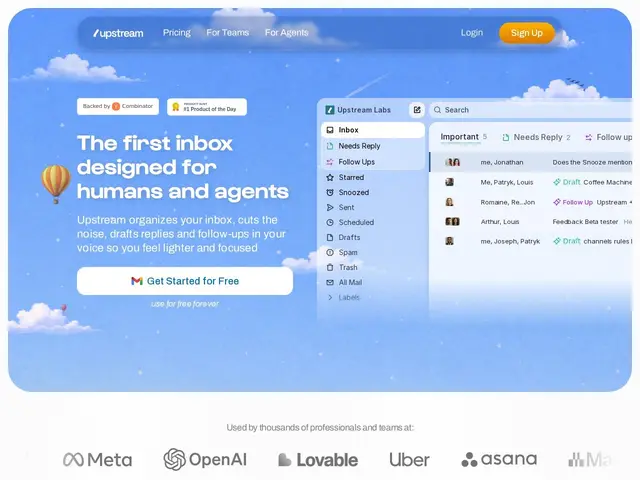
Description
An inbox is usually just a flat pile: important client emails sit next to newsletters and cold outreach with no distinction until you open each one. Upstream rebuilds that experience on top of Gmail so the sorting happens automatically — messages land pre-organized into Primary, Needs Reply, VIP, or Noise, and when something does need a response, a draft in your own writing style is often already waiting.
Upstream is an AI-native email client, Y Combinator-backed (also reportedly backed by investor Xavier Niel, and having raised $3M), that sits on top of an existing Gmail account rather than replacing it. Agents work continuously in the background: splitting incoming mail by urgency, filtering cold outreach and newsletters, drafting replies that mirror the user's own tone (learned from past emails as an editable prompt), scheduling follow-ups, and pulling context from integrations like Granola meeting notes, Notion, Google Drive, Google Calendar, Linear, and GitHub. Upstream Core is free forever, covering up to 5 team seats with 7 AI drafts and 3 smart follow-ups per week; Pro is $20/member/month billed yearly for unlimited use.
💬 Our review
The short version: if your inbox is genuinely the bottleneck in your day — sorting real work from noise, drafting the same kinds of replies over and over — Upstream is a well-targeted fix, and building on top of Gmail rather than replacing it lowers the switching cost considerably versus a from-scratch email client.
Compared to Gmail's own built-in categorization and smart-reply features, Upstream goes considerably further with tone-matched draft generation and proactive follow-up scheduling, which is the real value-add over what's free already in Gmail. Compared to a more general AI-agent inbox layer, Upstream's specific integrations (Granola, Linear, GitHub, Notion) suggest it's tuned for tech/startup workflows rather than a broad consumer audience — worth checking those integrations match your actual stack. At $20/month per member for unlimited use after the generous free tier (7 drafts/3 follow-ups weekly for up to 5 seats), the pricing is straightforward and easy to trial risk-free before paying.
💰 Pricing
📊 Global score
🤖 AI-enriched data
Core : gratuit à vie (jusqu'à 5 sièges, 7 brouillons IA + 3 relances/semaine) ; Pro : 20$/membre/mois facturé annuellement, usage illimité
Pros
Tri automatique des messages par urgence (Primary/Needs Reply/VIP/Noise)
Brouillons de réponse dans le ton personnel de l'utilisateur
Intégrations orientées tech (Granola, Linear, GitHub, Notion)
Palier gratuit généreux et durable (5 sièges inclus)
Cons
Fondateurs non nommés publiquement sur le site
Fonctionne au-dessus de Gmail — pas indépendant d'un compte Gmail existant
Intégrations pensées pour un usage tech/startup, moins pertinentes hors de ce contexte