Cotypist
Your phone's predictive-text autocomplete, but for your whole Mac and running entirely offline — it finishes your sentences in any app, learning your own words and phrasing, without ever sending a keystroke to the cloud.
🔗 Visit Cotypist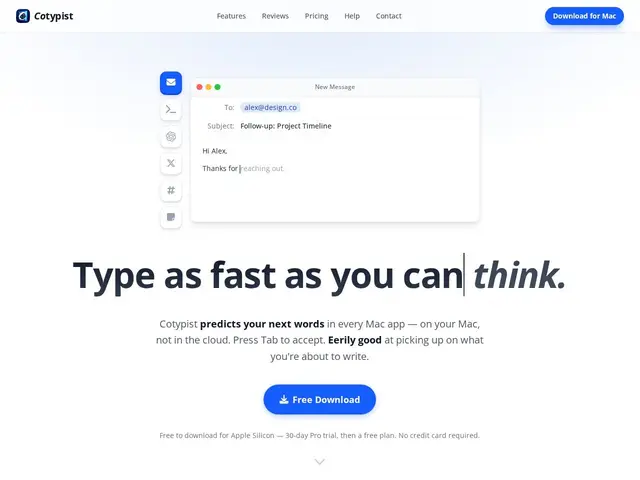
Description
Smartphone keyboards have offered word-by-word autocomplete for years, but almost nothing does the same thing across an entire Mac desktop — every app has its own patchy autocomplete or none at all. Cotypist fills that gap: press Tab to accept a suggestion in virtually any text field, from Mail to Slack to Notion, generated entirely on your own machine.
Cotypist is a macOS app (Apple Silicon only, M1 or newer, macOS 14+) that runs a local language model to provide word-by-word autocomplete, typo correction, and emoji suggestions in almost any text field system-wide, with zero cloud processing — nothing you type leaves the device. It's made by Accelerated Thought GmbH, a company founded in 2026, and adapts over time to your own vocabulary and phrasing. Memory footprint is modest (1–2.5GB while active), though it doesn't work inside code editors or a handful of apps like Google Docs and Arc/Dia without workarounds. Pricing is Free for 100 completed words per day, with a Plus/Pro tier for unlimited completions and a 30-day free trial included on download, no card required.
💬 Our review
The short version: for Mac users who type a lot and want faster, more private autocomplete than what's built into macOS, Cotypist is a genuinely useful little utility — the local-only processing is the actual selling point here, not a marketing checkbox, since your text never leaves the device.
Compared to Grammarly, which works across more platforms but sends your text to the cloud and focuses on grammar/style rather than raw completion speed, Cotypist trades breadth for privacy and speed within the Mac ecosystem specifically. Compared to macOS's built-in text replacement, Cotypist is a meaningfully more capable and adaptive tool, learning your actual vocabulary rather than relying on fixed shortcuts. The free tier's 100-words-a-day cap is enough to genuinely test the workflow before paying, and the fact that it doesn't work in code editors or a few notable apps (Google Docs, Arc/Dia) is a real limitation worth checking against your own daily app mix before subscribing.
💰 Pricing
📊 Global score
🤖 AI-enriched data
Free : 100 mots complétés/jour ; Plus/Pro : complétions illimitées, essai gratuit de 30 jours inclus au téléchargement, sans carte bancaire
Pros
100% local — aucune donnée envoyée au cloud
Fonctionne dans presque tous les champs de texte, pas une seule app
S'adapte au vocabulaire et au style de l'utilisateur
Empreinte mémoire modeste (1-2,5 Go)
Cons
Ne fonctionne pas dans les éditeurs de code ni certaines apps (Google Docs, Arc/Dia)
Réservé aux Mac Apple Silicon (M1+), macOS 14 minimum
Gain de vitesse de ~50% annoncé mais non vérifié indépendamment
Entreprise très jeune (fondée 2026), aucun financement public