Mispher
A free, open-source Mac app that turns your voice into text and can run simple AI agent tasks, all without touching the internet.
🔗 Visit Mispher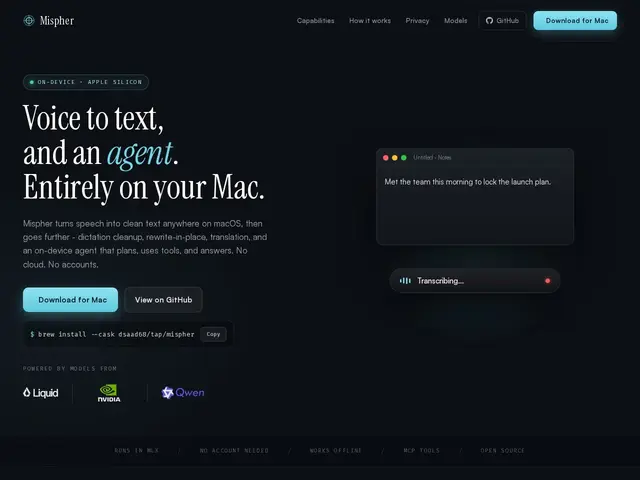
Description
Talk instead of type: Mispher listens to your voice on your Mac, turns it into clean text, and can even carry out simple tasks for you — all without sending anything to the internet. Think of it as a personal transcriptionist who works entirely offline and never gossips about what you said.
Mispher is a free, open-source (MIT-licensed) macOS application that performs on-device speech-to-text using models like Parakeet and Nemotron (covering roughly 40 languages), alongside dictation cleanup, in-place rewriting, and real-time translation. It also includes a local on-device agent that can plan and call tools — reading screenshots, Apple Notes, files, the clipboard, or MCP servers. It requires Apple Silicon and macOS 26 (Tahoe) or later.
💬 Our review
The short version: if you have a Mac and want free, completely private voice-to-text with some agent tricks thrown in, Mispher is a solid pick — but it's an early-stage open-source project, not a polished commercial product.
Compared to Wispr Flow, a commercial freemium competitor with a more polished onboarding experience and cross-device presence, Mispher's edge is simple: it costs nothing, runs entirely on-device under an MIT license, and there's no company that could ever start charging you or shut the service down. The honest trade-off is that it's a small project (in the low hundreds of GitHub stars) with no company behind it and no formal support channel, and its hardware requirement — Apple Silicon plus the very recent macOS 26 — excludes anyone on an older Mac.
💰 Pricing
📊 Global score
🤖 AI-enriched data
Free and open source under the MIT license — no paid tier.
Pros
Completely free and open source (MIT)
100% on-device — no cloud, no account needed
Supports around 40 languages via the Nemotron model
Includes an on-device agent that can act on screenshots, notes and files, not just transcribe
Cons
Requires Apple Silicon and macOS 26 — no Windows, Linux, or older Macs
Small early-stage project with no company or paid support
Less polished onboarding than commercial alternatives like Wispr Flow