MCP Snitch
macOS app that intercepts and audits MCP server traffic between Claude Desktop or Cursor and connected tools for security oversight.
🔗 Visit MCP Snitch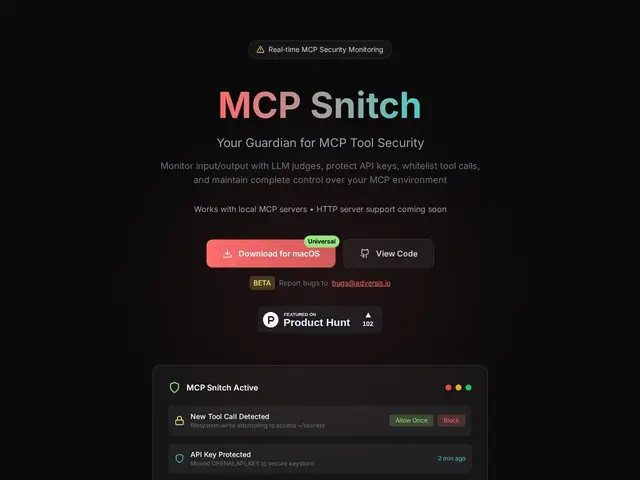
Description
When you let an AI coding assistant like Claude Desktop or Cursor connect to outside tools through MCP — the increasingly common way to give AI agents access to your files, APIs, and services — you're trusting that connection blindly. The AI could call a tool that reads a file it shouldn't, or leak an API key, and you'd have no way to know it happened. MCP Snitch sits in the middle and watches every one of those calls, so you can see and control exactly what your AI tools are doing behind the scenes.
It's a macOS app (13.0+) that intercepts both stdio and HTTP MCP transports, auto-discovers the MCP servers already configured in Claude Desktop and Cursor, and logs the full request/response history for later audit. It flags sensitive-data patterns like credentials, SSH keys, or system file paths, lets you manually approve or block individual tool calls, and can optionally call GPT-3.5 for AI-assisted threat classification (using your own OpenAI key). It's dual-licensed: free under GPL-3.0 for open-source use, with a commercial license available from Adversis for proprietary use.
💬 Our review
The short version: as MCP adoption grows, this is one of the few tools that actually watches what your AI agent's tool calls are doing instead of trusting the protocol blindly — worth installing if you use Claude Desktop or Cursor with third-party MCP servers, and free if the GPL license works for you.
There isn't yet a crowded field of MCP-specific security monitors — most of what's out there today is generic API-gateway or logging middleware repurposed for MCP, which doesn't understand the protocol's structure or auto-discover your Claude/Cursor configs. MCP Snitch's edge is being purpose-built for MCP, with automatic config discovery and pattern-based secret detection out of the box. The catch: it's macOS-only, and the AI-assisted threat-detection layer needs your own OpenAI API key, an extra cost and dependency on top of the app itself. Worth it if you're already deep in the Claude Desktop or Cursor plus MCP ecosystem on a Mac; less relevant on Windows/Linux or if you're not yet connecting third-party MCP servers.
💰 Pricing
📊 Global score
🤖 AI-enriched data
Gratuit sous licence GPL-3.0 pour usage open-source ; licence commerciale sur devis via Adversis pour usage propriétaire.
Pros
Conçu spécifiquement pour MCP
Détection de secrets par pattern
Journal d'audit complet
Cons
macOS uniquement
Détection IA nécessite une clé OpenAI perso
Licence GPL contraignante en usage propriétaire