Tailgrids UI
600+ production-ready React + Tailwind CSS components, with a free open-source core and paid premium blocks.
🔗 Visit Tailgrids UI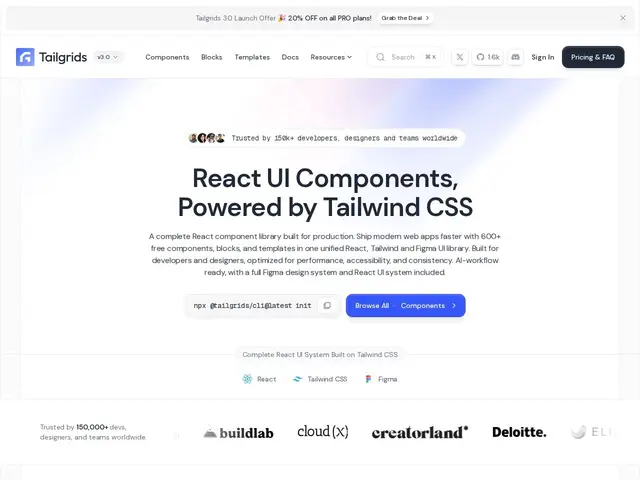
Description
Building a web app's interface from scratch — every button, form, dashboard layout, and pricing table — eats weeks that could go into the actual product. Tailgrids UI hands you a library of over 600 pre-built, production-ready pieces (React components styled with Tailwind CSS) so teams can assemble screens instead of designing and coding every element from zero.
The core (100+ components) is free and open source under MIT, which is enough to get real work done. The paid tiers unlock the full 600+ component set, including specialized blocks for dashboards, e-commerce, marketing sites, and AI applications, plus a companion Figma file with 900+ design components and a CLI for scaffolding projects. Pricing is a one-time purchase rather than a subscription: $199 for a single-user license, or $349 for a 5-person team license with the Figma file included — both with lifetime free updates.
💬 Our review
The short version: a genuinely useful shortcut for teams that want Tailwind-styled React components without hand-rolling a design system, with a fair free tier and refreshingly a one-time price instead of a subscription for the rest.
Against shadcn/ui (free, copy-paste, no design system lock-in) or Flowbite (similar freemium model), Tailgrids' edge is breadth — 600+ components plus a matching Figma file, which matters if design and engineering need to stay in sync. The trade-off is that the free tier is deliberately limited to steer you toward the paid blocks, and unlike shadcn/ui's fully free approach, real production use of the richer templates means paying. Worth it if you want a matched design-system-plus-components bundle and prefer a one-time fee over a subscription; shadcn/ui is the better pick if you want maximum flexibility for free.
💰 Pricing
📊 Global score
🤖 AI-enriched data
Gratuit (core), puis 199$ ou 349$ paiement unique.
Pros
600+ composants prêts à l'emploi
Paiement unique, pas d'abonnement
Système Figma assorti
Cons
Gratuit limité à 100+ composants
Figma réservé au plan équipe
Coût réel face à shadcn/ui gratuit