ChatPanel
Privacy-first browser side panel AI assistant that works with any model or agent and anonymizes sensitive data before it leaves your browser.
🔗 Visit ChatPanel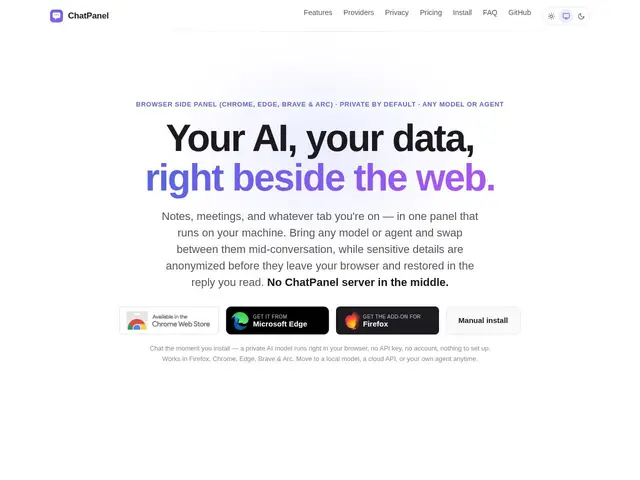
Description
Most browsers now ship a built-in AI side panel, but it usually locks you into one company's model and sends your data to that company's servers. ChatPanel is a browser extension that gives you the same convenient side-panel chat, except you choose which AI you talk to (a model running fully in your browser, one on your own computer, any of 20+ cloud APIs, or agents like Claude Code and GitHub Copilot under your own logins), and anything sensitive — emails, phone numbers, card numbers — gets scrambled on your machine before it's sent, then unscrambled in the reply you see.
ChatPanel works in Firefox, Chrome, Edge, Brave, and Arc, requires no account or API key to start chatting (a private in-browser model runs immediately after install), and keeps notes, meeting transcripts, and past chats in one searchable memory the AI can draw on. It supports MCP tools and browser actions so the AI can actually do things, not just answer questions, and it integrates with meeting platforms (Zoom, Meet, Teams, Webex) for live notes and action items. Free tier covers manual anonymization; a Pro tier adds AI-powered automatic detection of sensitive data.
💬 Our review
The short version: ChatPanel's core promise — use any AI model you want, from a side panel, without your sensitive data leaving your machine unprotected — is a genuinely differentiated pitch against built-in browser AI assistants that lock you into one vendor's model and data policy.
Compared to a browser's native AI sidebar (Chrome's, Edge's Copilot, etc.), ChatPanel trades a slicker single-vendor integration for real model independence and a privacy layer that travels with you even into agents you already use like Claude Code or Codex. The anonymize-then-restore approach for PII is a clever, practical answer to "I want to use cloud AI but not leak sensitive data," though it does require trusting ChatPanel's local detection to catch what it says it catches. Being free to start with an in-browser model and no account needed makes it low-risk to try; the smaller ecosystem and newer product status mean less polish than a native browser assistant, but for anyone who wants AI portability and privacy control across models, it's a compelling niche pick.
💰 Pricing
📊 Global score
🤖 AI-enriched data
Free tier available; Pro tier pricing not published
Pros
Model/agent independence
On-device PII anonymization
No account needed to start
Meeting assistant integration
Cons
Smaller ecosystem than native browser AI
Pro tier needed for AI auto-detection
Newer, less proven