LibreDB Studio
Free, self-hosted browser SQL IDE covering 16 database engines, with ER diagrams, an AI query agent, and RBAC/audit trails built in.
🔗 Visit LibreDB Studio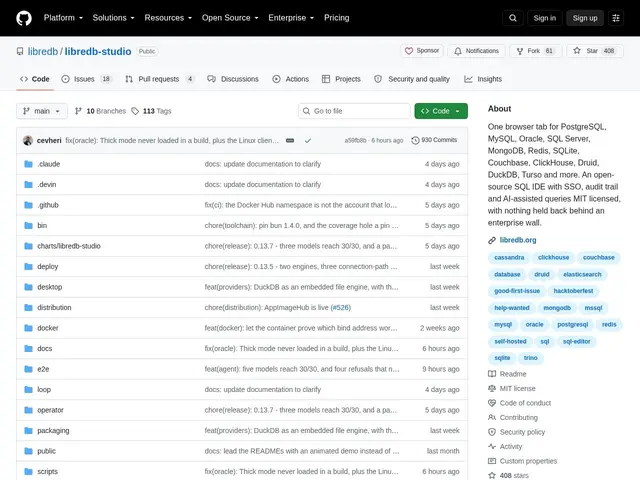
Description
Most database GUI clients are desktop apps you install per-developer, which becomes a headache when a team needs consistent access, role-based permissions, and an audit trail across a shared set of databases. LibreDB Studio takes a different approach: instead of a desktop client, it deploys as a browser-based service alongside your databases, so anyone on the team gets the same tool through a URL rather than an install.
LibreDB Studio supports 16 database engines in one interface — PostgreSQL, MySQL, Oracle, SQL Server, SQLite, MongoDB, Redis, ClickHouse and 8 more — with a Monaco-based SQL editor (the same engine behind VS Code) offering schema-aware autocomplete, interactive ER diagrams with automatic layout, and 8 chart types for quick data visualization. It includes an AI query agent restricted to read-only mode for safety, schema diff and migration tooling, one-click table profiling, and ORM code generation. For team deployment it adds OIDC single sign-on, role-based access control, a full query audit trail, and display masking to hide sensitive columns from users who shouldn't see raw values. It's free and open source under MIT.
💬 Our review
The short version: LibreDB Studio's browser-based, self-hosted deployment model is the real differentiator — it behaves like an internal team service (SSO, RBAC, audit trail) rather than a per-developer desktop app, while still being free and open source.
Most free multi-database tools (DBeaver, for instance) are desktop-first with per-user installs and no centralized access control; LibreDB Studio's design targets teams that need one shared, governed access point to their databases instead. The AI query agent being read-only-only by design is a sensible safety choice — letting an LLM write ad-hoc SELECT queries is far lower risk than letting it run mutations. Sixteen supported engines including MongoDB and Redis (not just SQL databases) is unusually broad for a free tool. As with any newer open-source project, the tradeoffs are community size and battle-testing versus established players — check recent commit activity and issue responsiveness before betting a team's daily database access on it. Strong pick for a team wanting shared, governed database access without per-seat licensing costs.
💰 Pricing
📊 Global score
🤖 AI-enriched data
MIT, auto-hébergé, aucun coût par siège
Pros
16 moteurs supportés dont MongoDB et Redis, pas seulement SQL
SSO OIDC, RBAC et piste d'audit complète pour un déploiement d'équipe
Agent IA de requêtes en lecture seule (garde-fou de sécurité)
Gratuit et open source (MIT), déploiement navigateur partagé
Cons
Projet plus jeune, communauté et hardening à vérifier
Moins connu que DBeaver ou pgAdmin
Auto-hébergement requis (pas de version cloud managée)